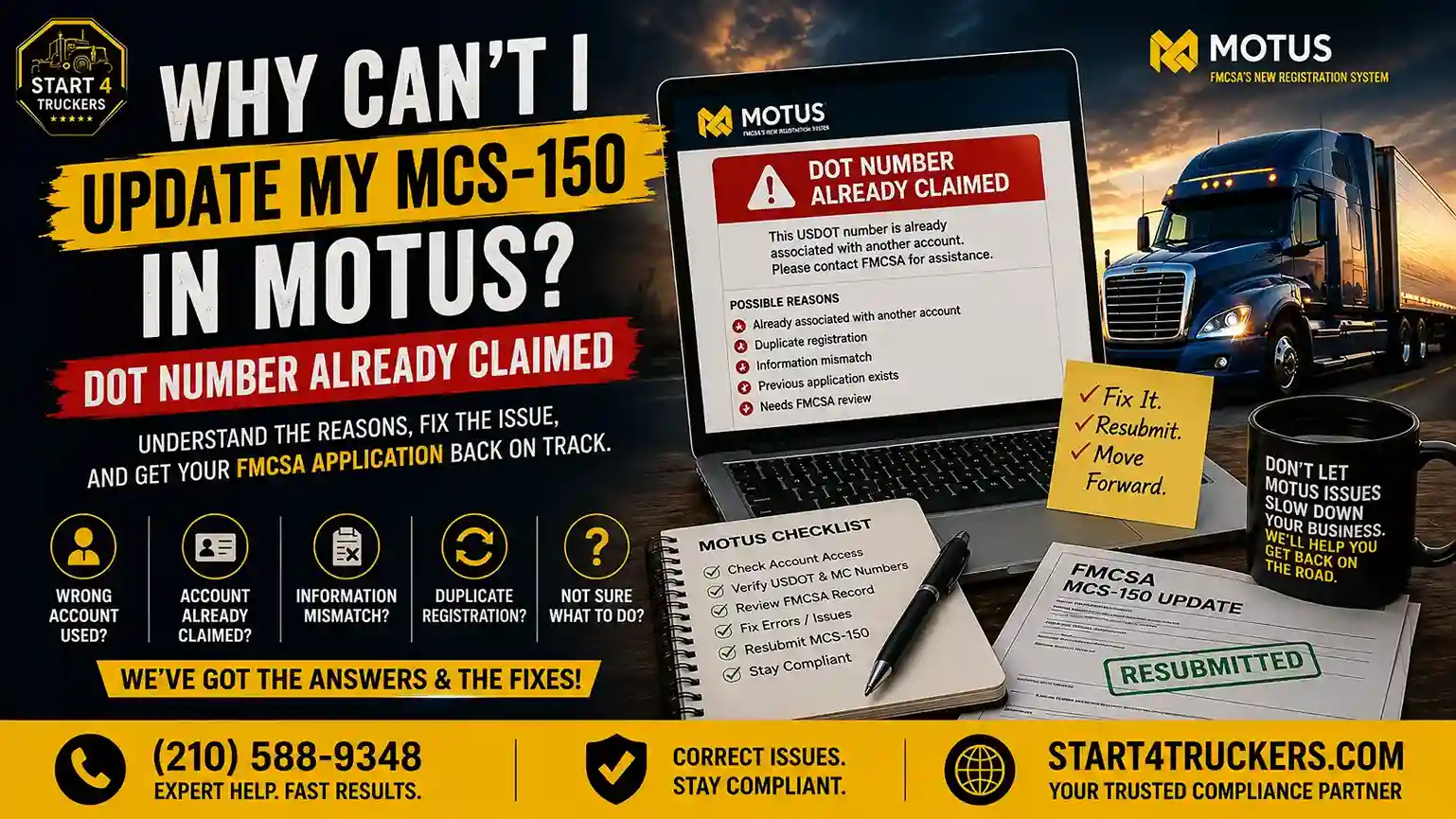
Trying to update your MCS-150 in MOTUS but getting a “DOT number already claimed” message? You may not need a new USDOT number or a new carrier registration. In many cases, the problem is connected to your MOTUS account, an existing USDOT number association, an old account, or a mismatch between your information and the FMCSA carrier record.
This guide explains what the “DOT number already claimed” message means, why your MCS-150 update may be blocked, how to troubleshoot the problem, what information you should check, and when you should contact FMCSA. We will also explain how Start4Truckers LLC can help if you do not want to handle the process yourself.
Why Can’t I Update My MCS-150 in MOTUS?
If you cannot update your MCS-150 in MOTUS because your DOT number is already claimed, the USDOT number may already be associated with a MOTUS account or existing carrier record. Start by signing into the correct account, checking your carrier information, confirming your USDOT and MC numbers, and reviewing the FMCSA record. Do not create another account simply to bypass the problem. The goal is to fix the existing account or carrier-record issue so you can complete the MCS-150 update in MOTUS correctly.Why Can’t I Update My MCS-150 in MOTUS?
An MCS-150 update normally involves updating information connected to your motor carrier record. When MOTUS does not allow the update and says your DOT number is already claimed, the problem may be related to how your USDOT number is associated with your account. The most common causes include:- Your USDOT number is already associated with a MOTUS account.
- You are using a different MOTUS or Login.gov account than the one connected to your carrier.
- A former employee or administrator previously claimed the USDOT number.
- Your business information does not match the FMCSA carrier record.
- Identity verification is incomplete.
- Your carrier record needs review or correction.
- There is another account or registration issue preventing the update.
The Most Common Reason: Your DOT Number Is Already Claimed
When MOTUS says your DOT number is already claimed, the USDOT number may already be connected to an existing account or carrier record. This can happen even if you are the legitimate owner of the business. For example, the number may have been claimed under:- Your own older account
- A former company administrator
- Another authorized representative
- A previous employee
- An account you no longer have access to
Your MOTUS Account May Not Be the Account Linked to the Carrier
One of the first things to check is whether you are using the correct account. If you previously used a different email, Login.gov identity, or company administrator account, the USDOT number may already be associated with that account. Creating another account may make the problem harder to resolve because the underlying association still exists.Your Carrier Information May Not Match the FMCSA Record
Another common issue is inconsistent carrier information. Check whether the information you are entering matches your FMCSA record, including:- Legal business name
- DBA, if applicable
- Business address
- USDOT number
- MC number
- Other carrier information
Identity Verification or Account Access May Be Incomplete
MOTUS account and identity verification can also affect your ability to access or manage a carrier record. If you are having a specific identity verification problem, read our guide on MOTUS Identity Verification Failed for additional troubleshooting steps.What Does “DOT Number Already Claimed” Mean in MOTUS?
“DOT number already claimed” generally means the USDOT number is already associated with a MOTUS account or carrier record. It does not automatically mean someone stole the number, that the number is gone, or that you need to apply for a new USDOT number. Think of the relationship this way: Motor Carrier → USDOT Number → FMCSA Carrier Record → MOTUS Account Your carrier has a USDOT number. That number is connected to the carrier’s FMCSA information, and MOTUS uses an account-based system for managing registration information.What Is a USDOT Number Claim?
A USDOT number claim connects a carrier’s existing record with a MOTUS account. When a number is already associated with an account, another account may not be able to claim it as a new association without resolving the existing account or record issue. That is why the MCS-150 update and USDOT number claim can become connected problems.Does “DOT Number Already Claimed” Mean Someone Stole My DOT Number?
Not necessarily. Common explanations are much less alarming:- You previously claimed the number under another account.
- Another authorized person at your company claimed it.
- A former employee or administrator still has the association.
- Your information does not match the carrier record.
- The existing FMCSA or MOTUS record needs attention.
Why Should You Avoid Creating Another MOTUS Account?
If your USDOT number is already associated with an account, creating another account does not necessarily remove the original association. Instead, it can create another layer of confusion. The better approach is to identify the existing account, verify your information, and resolve the association that is preventing the MCS-150 update.What Is an MCS-150 Update and Why Is It Required?
The MCS-150 is the Motor Carrier Identification Report used for information associated with a motor carrier’s USDOT registration. For a deeper explanation of the form and its purpose, see What Is Form MCS-150 and When Do You Need to File It?. An MCS-150 update can be important when your carrier information changes or when a required MCS-150 biennial update is due.What Is Form MCS-150?
MCS-150 is associated with your motor carrier identification and registration information. Depending on your carrier’s circumstances, the information connected with the filing can include business, operation, vehicle, driver, and cargo details.What Is an MCS-150 Biennial Update?
A biennial update is a required periodic update of carrier information. Keeping your information current helps ensure that the carrier record reflects the business you are actually operating. Your site’s guide on MCS-150 Biennial Update in MOTUS provides additional information about the update process and timing.When Do You Need to Update MCS-150 Information?
An update may be needed when required by the FMCSA’s biennial schedule or when information in the carrier record changes. Examples can include changes to:- Business information
- Address
- Contact information
- Operation details
- Vehicle information
- Other carrier information
What Information Is Included in an MCS-150 Update?
Depending on the information being updated, the carrier record can contain details such as:- Legal business name
- DBA
- Business address
- Mailing address
- Contact information
- Operation classification
- Cargo classification
- Power units
- Vehicle information
- Driver information
- Other carrier details
Why Does MOTUS Say My USDOT Number Is Already Claimed?
The “already claimed” message can happen for several different reasons. Identifying the specific reason is the fastest way to determine your next step.Your USDOT Number Is Already Associated With Your MOTUS Account
First, check your current account. You may already have access to the carrier record without realizing that the USDOT number is associated with the account. Review your MOTUS dashboard and confirm the information connected to your account.Your USDOT Number Is Linked to an Old MOTUS Account
An old account is a common situation to investigate when a carrier changes employees or administrators. Think about whether:- A former employee handled compliance
- Another administrator originally set up the account
- You previously used another email
- The business changed management
- Someone else previously handled FMCSA registration
Another Authorized Person Claimed the USDOT Number
The USDOT number may have been claimed by another authorized person connected to your company. That could be:- The business owner
- A compliance manager
- An office employee
- An authorized representative
Your Business Information Does Not Match
A mismatch between your submitted information and the FMCSA carrier record can also create problems. Compare:| Information | What to Check |
| Legal business name | Exact business name |
| DBA | Correct DBA, if applicable |
| Address | Current business address |
| USDOT number | Correct number |
| MC number | Correct authority number |
| Carrier details | Information matches the FMCSA record |
Common Reasons You Cannot Update Your MCS-150 in MOTUS
If the MCS-150 update is blocked in MOTUS, check these possible causes:- Your USDOT number is already claimed.
- You are using the wrong MOTUS account.
- An old account is still associated with the carrier.
- Your carrier information does not match the FMCSA record.
- Identity verification is incomplete.
- Your business information is incorrect.
- The FMCSA carrier record needs correction.
- You do not have the right account access.
- The carrier record requires additional review.
- A system or processing problem is preventing the update.
Quick MCS-150 MOTUS Troubleshooting Checklist
Before contacting support, check:- USDOT number
- MC number
- Correct MOTUS account
- MOTUS carrier dashboard
- Legal business name
- DBA
- Business address
- Carrier status
- Identity verification
- Existing USDOT account association
- Exact error message
How to Fix the MCS-150 Update Problem in MOTUS
Once you know the likely cause, follow these steps.Step 1: Sign In to the Correct MOTUS Account
Start with the account you believe is connected to your carrier. Do not immediately create a second account because the MCS-150 update is not working. Make sure the account you are using is the one intended to manage the carrier record.Step 2: Check Whether Your USDOT Number Is Already Claimed
Look through the account and carrier dashboard to determine whether the USDOT number is already associated with your account. If it is already there, you may not need to claim it again. The problem may instead be related to the specific action you are trying to complete.Step 3: Verify Your Carrier Information
Review the information before trying the MCS-150 update again. Check:- Legal business name
- DBA
- Address
- USDOT number
- MC number
- Operation information
- Other carrier details
Step 4: Complete Any Required Identity Verification
If there is an account verification problem, resolve it before continuing. For specific verification issues, use our MOTUS Identity Verification Failed guide.Step 5: Check for an Existing or Old MOTUS Account
Think about who may have previously managed the carrier’s FMCSA information. If an old account exists, do not simply create another one. Determine which account should legitimately control the carrier record.Step 6: Review the FMCSA Carrier Record
Compare your MOTUS information with the carrier record. Look for differences in:- Business name
- Address
- USDOT number
- MC number
- Carrier status
- Other registration information
Step 7: Try the MCS-150 Update Again
Once the account association and carrier information have been checked, return to the MCS-150 update process. Make sure you are updating the correct carrier record.Step 8: Contact FMCSA if the DOT Number Remains Claimed
If your information is correct and MOTUS still says the USDOT number is already claimed, the problem may require account-specific or carrier-record assistance. At that point, prepare your carrier information and the exact error message before requesting help.How to Claim or Link Your USDOT Number in MOTUS
The USDOT number claim is important because MOTUS uses the account association to manage carrier information.How USDOT Number Claiming Works
The basic relationship is: USDOT Number → Carrier Record → MOTUS Account The goal is to access and manage the existing record associated with your business.What to Do If You Cannot Claim Your USDOT Number
Do not repeatedly submit the same claim. Instead:- Verify your USDOT number.
- Check your current account.
- Look for an old account.
- Ask whether another authorized person previously claimed it.
- Compare your business information with the FMCSA record.
- Escalate the issue when necessary.
What If Your USDOT Number Is Linked to Another MOTUS Account?
If another account controls the association, identify the account or person involved when possible. You may need to work with FMCSA to resolve the account or carrier-record association.Should You Create a New MOTUS Account?
No, not simply to bypass an existing DOT number claim. Creating multiple accounts can make the problem harder to understand and resolve. Resolve the existing association first.What Information Can You Update on an MCS-150?
An MCS-150 update can involve different parts of your carrier information, depending on what has changed.Business Name and DBA
Make sure the legal business name and DBA, where applicable, are accurate. If your company name changed, use the appropriate MOTUS process rather than entering a different name without reviewing the underlying carrier record.Business and Mailing Address
Keep your current business and mailing information accurate. An address mismatch can also make it harder to match your information with the existing FMCSA record.Contact Information
Review the contact details associated with your carrier.Operation Classification
Your operation information should accurately reflect your carrier’s business activities.Cargo Classification
Make sure the cargo information matches the operation you conduct.Power Units and Vehicle Information
If your fleet information changes, make sure the carrier record reflects the correct information.Driver Information
Review driver-related information when it forms part of the applicable carrier record update.Other Carrier Information
Other carrier details may also need updating when your business or operations change. The key is to enter accurate information that matches your existing records.What Happens If You Cannot Complete Your MCS-150 Update?
Do not ignore an MCS-150 problem, especially when the update is required.Your Carrier Information May Remain Outdated
If you cannot submit the update, information in the carrier record may remain incorrect or outdated.Your Biennial Update May Remain Incomplete
If you are trying to complete a required biennial update, the inability to submit it means the requirement may remain unresolved.Your FMCSA Record May Need Attention
If the issue comes from an account association or record mismatch, continuing to retry the same submission may not help. The better approach is to identify the underlying issue.Why You Should Not Ignore an MCS-150 Update Problem
Keeping carrier information current is an important part of maintaining accurate registration information.Why You Should Not Submit Duplicate or Conflicting Updates
Do not create a second carrier account or submit conflicting information just to get around a “DOT number already claimed” message.How to Check Your USDOT and MCS-150 Information Before Contacting FMCSA
Before escalating the problem, review your information carefully.Verify Your USDOT Number
Make sure every digit is correct.Verify Your Legal Business Name
Use the correct legal name associated with your carrier registration.Verify Your Address
Check both your current business and applicable mailing information.Verify Your MC Number
If you have an MC number, make sure you are checking the correct authority record. For more information about the relationship between USDOT and MC numbers, see DOT Number vs. MC Number.Check Your Carrier Status
Look at the current status associated with your carrier record. If your problem is actually related to an inactive USDOT number rather than an MCS-150 account-access problem, see How to Reactivate a Deactivated USDOT Number in MOTUS.Save the Exact MOTUS Error Message
Do not paraphrase the error if you can avoid it. Save the exact wording because it can help explain the problem to FMCSA or a compliance professional.Take Screenshots of the Problem
A screenshot can help document:- The error message
- The account screen
- The carrier record
- The attempted update
What Information Should You Have Before Contacting FMCSA?
Prepare your information before reaching out.Carrier Information
Have these details ready:- Legal business name
- DBA, if applicable
- USDOT number
- MC number
- Business address
MOTUS Account Information
Also prepare:- Account email
- Login/account details
- Exact error message
- Screenshots
- Date of attempted update
MCS-150 Information
Be ready to explain:- What information you were trying to update
- What the old information says
- What the correct information should be
- When you attempted the update
Explain the Problem Clearly
A simple structure works well: Problem → USDOT number → MC number → exact error → steps already attempted → requested resolution For example: “I am trying to update my MCS-150 in MOTUS for USDOT number [number]. The system says the DOT number is already claimed. I verified my business information and attempted to access the carrier record through my account. I need help resolving the existing association so I can complete the update.”How Long Does an MCS-150 Update Take in MOTUS?
There is no single timeline that applies to every MCS-150 update problem. The time can depend on what is causing the issue.Does Every MCS-150 Update Require Manual Review?
Not necessarily. Some updates may proceed normally, while problems involving account ownership, carrier information, or existing associations may require additional review.Why Can an MCS-150 Update Take Longer?
Possible reasons include:- Account problems
- Record mismatches
- Identity verification
- Existing USDOT claims
- Manual review
- Incomplete information
How to Avoid Unnecessary MCS-150 Delays
You can reduce avoidable problems by:- Using the correct MOTUS account.
- Checking your carrier information first.
- Verifying the USDOT number carefully.
- Saving the exact error message.
- Submitting complete information.
- Avoiding duplicate accounts and duplicate submissions.
Common MCS-150 Update Mistakes to Avoid
1. Creating Multiple MOTUS Accounts
A second account can create more confusion around the existing carrier record.2. Repeatedly Claiming the Same USDOT Number
If the number is already claimed, repeated attempts will not necessarily resolve the underlying association.3. Entering Information That Does Not Match FMCSA Records
Check your legal name, address, USDOT number, and other carrier details before submitting.4. Ignoring an Old Account
An old account may explain why the USDOT number appears claimed.5. Skipping Identity Verification
Resolve account verification issues before continuing.6. Submitting Incomplete Information
Missing information can make troubleshooting and review more difficult.7. Updating the Wrong Carrier Record
Always verify the USDOT number and carrier information before making changes.8. Assuming “Already Claimed” Means the DOT Number Is Lost
The message often indicates an existing account or record association.9. Applying for a New USDOT Number Unnecessarily
Do not start a new registration before checking whether your existing carrier record can be accessed.10. Sending Incomplete Information to FMCSA
When requesting help, provide the exact error and the steps you have already taken.When Should You Contact FMCSA About an MCS-150 Problem?
You do not have to contact FMCSA for every small mistake, but escalation makes sense when the account or carrier record cannot be resolved through normal troubleshooting.Contact FMCSA If Your USDOT Number Is Already Claimed
Especially when you cannot identify the account holding the association.Contact FMCSA If You Cannot Access the Correct Carrier Record
If your carrier is yours but the correct record is inaccessible, official assistance may be necessary.Contact FMCSA If Your Information Is Correct but MOTUS Still Blocks the Update
If you have verified your information and account but still cannot complete the MCS-150 update, document the problem and seek assistance.Contact FMCSA If an Old Account Controls the USDOT Number
An old account association may need to be reviewed before the current user can manage the record.What to Include in Your FMCSA Request
Include:- Legal business name
- USDOT number
- MC number
- MOTUS account information
- Exact error
- Screenshots
- Steps already attempted
- The update you are trying to complete
How Start4Truckers LLC Can Help With MCS-150 Updates
Trying to solve an MCS-150 problem while dealing with a DOT number already claimed message can be frustrating, especially when you are not sure whether the issue is your account, your carrier information, or the existing FMCSA record.Help With MCS-150 Updates
Start4Truckers LLC helps carriers with MCS-150-related registration needs and can review the information involved in an update. Our MCS-150 Filing Service is available for carriers that need professional assistance with the filing process.Help When MOTUS Says the DOT Number Is Already Claimed
If MOTUS will not let you update your MCS-150 because the USDOT number is already claimed, professional help can make it easier to identify the likely issue and determine the appropriate next step.Review Your Carrier Information Before Submission
A review can help catch problems such as:- Incorrect business information
- Incorrect USDOT number
- Address mismatch
- Account-access problems
- Missing information
- Unnecessary duplicate submissions
When Professional Help Makes Sense
Professional assistance may be useful when:- You are unfamiliar with MOTUS.
- The USDOT number is already claimed.
- You cannot access the correct carrier record.
- You have a required MCS-150 update.
- You have already tried troubleshooting.
- You are unsure what information should be submitted.