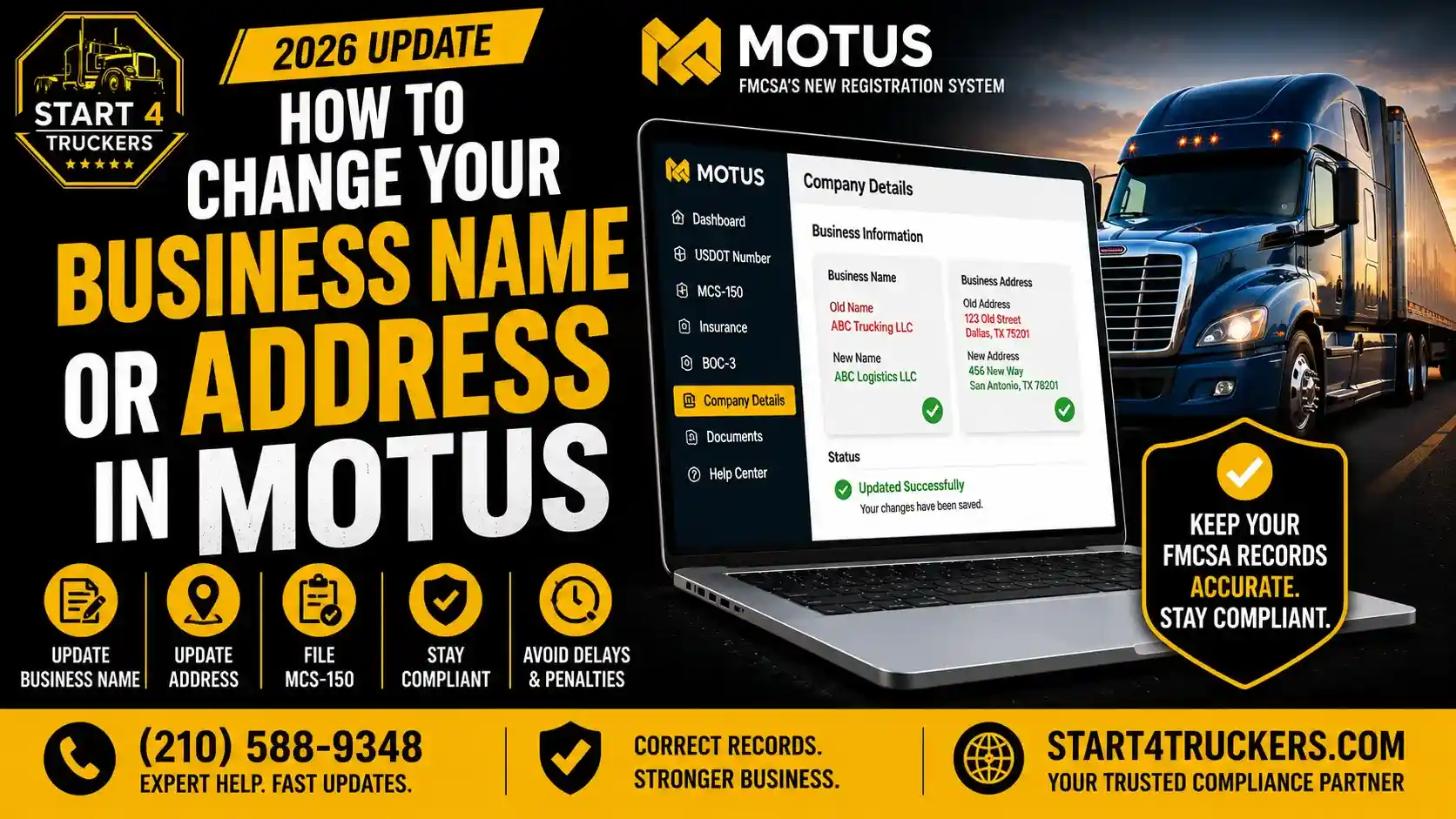
Your trucking business changes over time. You move to a new location. You rebrand. You restructure your LLC. You get married and your legal name changes. Whatever the reason, keeping your FMCSA records current is not optional. And in 2026, all of those updates happen through one platform: MOTUS.
Knowing how to correctly change your business name or address in MOTUS, in the right order, is the difference between a smooth update and a compliance issue that stalls your authority.
This guide walks you through every step of updating your business name, address, and related information inside MOTUS, explains what documents you need, and covers the mistakes that cause the most delays.
How to Change Your Business Name or Address in MOTUS
To change your business name or address in MOTUS, log into the platform using your verified Login.gov credentials, navigate to your carrier profile, and update the relevant fields. Any name change must also be reflected in your MCS-150 biennial update, which is filed directly through MOTUS. Address changes must match your current state business records and your IRS Tax id records. Changes that do not match across all federal and state records will trigger compliance flags and may delay your application or authority status.
Why Keeping MOTUS Records Current Matters
Your MOTUS Profile Is Your FMCSA Identity
MOTUS is not just a registration portal. It is the central database where the FMCSA tracks your carrier identity, compliance history, authority status, and all related filings.
If your business name or address in MOTUS does not match your current legal records, you face real consequences:
- Identity verification failures during future logins
- MCS-150 filing errors that deactivate your USDOT number
- Insurance filing mismatches that hold up your authority
- BOC-3 designation issues tied to an old address
- Enforcement flags triggered by inconsistent carrier data
Updating your records promptly is not just good practice. It is a federal compliance requirement.
What the MCS-150 Has to Do With This
Every business name or address change ultimately flows through the MCS-150, the FMCSA’s carrier registration form. When you update your information in MOTUS, you are essentially filing an updated MCS-150.
This form must be filed whenever significant business information changes, not just on the biennial schedule. Learn more about what triggers a required update in our guide on what Form MCS-150 is and when to file it.
What Types of Changes Can You Make in MOTUS?
MOTUS allows carriers to update a wide range of business information. Here is a full breakdown of what can be changed and what each change affects:
| Information Type | Can Be Updated in MOTUS? | Requires MCS-150 Update? |
| Legal business name | Yes | Yes |
| DBA (doing business as) name | Yes | Yes |
| Physical business address | Yes | Yes |
| Mailing address | Yes | Yes |
| Phone number | Yes | Yes |
| Email address | Yes | Yes |
| Principal officer name | Yes | Yes |
| Fleet size and vehicle count | Yes | Yes |
| Operation type | Yes | Yes |
| Tax id (requires separate IRS process) | Limited | Yes after IRS update |
Before You Make Changes: What to Prepare
Rushing into a business name or address change in MOTUS without preparing first is one of the most common causes of compliance errors. Get these pieces in order before you log in.
1. Updated State Business Records
If you are changing your legal business name, your state formation documents must reflect the new name first. Do not update your FMCSA records with a name that has not yet been officially registered with your state.
This applies whether you are renaming your LLC, changing your corporation name, or registering a new DBA. The state record change comes first. The MOTUS update comes after.
If you are restructuring your business entity at the same time, read our comparison of LLC vs sole proprietor for trucking to make sure your structure is right before you update your records.
2. Updated IRS Tax id Records
Your Tax id is tied to your business name. If your legal name has changed, update your IRS records before updating your FMCSA profile. The IRS has a straightforward process for notifying them of a business name change.
Having your Tax id aligned with your new business name ensures that your MOTUS profile, tax records, and FMCSA registration all match, which is required for compliance.
3. Your Current Login.gov Credentials
You need your verified Login.gov account to access MOTUS. If your personal legal name has also changed, for example, due to marriage, update your Login.gov identity first. A mismatch between your Login.gov identity and your FMCSA records will cause problems during the update process.
For a full guide on Login.gov and MOTUS account setup, read our Login.gov and MOTUS complete account setup guide for truckers.
4. New Address Documentation
If you are changing your business address, have documentation of your new address ready. This may include your new lease agreement, utility bill, or state business registration showing the updated address.
Your physical address and mailing address in MOTUS must match your current legal business records.
Step-by-Step: How to Change Your Business Name in MOTUS
Step 1: Update Your State Business Registration First
File the official name change with your state before touching your FMCSA records. Once your state approves the new legal name, you will have the documentation needed to update your federal records.
Step 2: Update Your IRS Records
Notify the IRS of your business name change. The process varies depending on your business structure. For LLCs and corporations, this typically involves sending a letter to the IRS with your Tax id and new legal name.
Step 3: Log Into MOTUS Through Login.gov
Go to the MOTUS portal and log in using your verified Login.gov credentials. Once inside, navigate to your carrier profile dashboard.
Step 4: Access Your Carrier Profile
Inside MOTUS, locate the carrier profile management section. This is where your business name, address, officer information, and fleet details are stored.
Step 5: Update Your Legal Business Name
Enter your new legal business name exactly as it appears in your updated state formation documents. Do not use abbreviations or shortened versions. Every character must match.
If you also have a DBA (doing business as) name, update that field separately. Your DBA name and your legal name are two different fields in MOTUS.
Step 6: File an Updated MCS-150
After updating your name in the carrier profile, file an updated MCS-150 through MOTUS with your new legal business name. This is the step that officially records the change in the FMCSA system.
Do not skip this step. Updating your name in the MOTUS interface without filing the MCS-150 does not fully update your federal carrier record.
Need this handled correctly and quickly? Our MCS-150 filing service gets it submitted without errors.
Step 7: Verify Your Insurance and BOC-3 Match the New Name
After your name change is processed, contact your insurer and your BOC-3 process agent. Ask them to confirm that their filings reflect your new legal business name.
Insurance filings and BOC-3 designations that show your old name create mismatches in the FMCSA system. These mismatches can affect your authority status.
Step 8: Confirm the Change Is Reflected in FMCSA Records
Log back into MOTUS a few business days after filing and confirm your new legal name appears correctly in your carrier profile. Check your USDOT record through FMCSA lookup tools as well.
Changing your business name and want it done right? Call Start4Truckers LLC at (210) 588-9348. We file your MCS-150 update, coordinate with your insurer and BOC-3 agent, and make sure your FMCSA records reflect your new name without compliance gaps.
Step-by-Step: How to Change Your Business Address in MOTUS
Step 1: Update Your State Business Registration
If your new address is in a different state, or if your state requires you to update your registered agent address when you move, do that first. Your FMCSA address should match your current state registration.
Step 2: Log In to MOTUS
Access MOTUS through your verified Login.gov credentials and navigate to your carrier profile.
Step 3: Update Your Physical Address
Enter your new physical business address in the designated field. This should be your actual operating location, not a P.O. Box. The FMCSA requires a physical address, not a mailing-only address, for your primary business location.
Step 4: Update Your Mailing Address
If your mailing address is different from your physical address, update that field separately. Both fields must be current and accurate.
Step 5: File an Updated MCS-150
Just like with a name change, an address change requires filing an updated MCS-150 through MOTUS. This officially records the address change in the FMCSA system.
Learn more about how the biennial update process works in our guide on the MCS-150 biennial update in MOTUS.
Step 6: Notify Your BOC-3 Process Agent
Your BOC-3 filing designates process agents in the states where you operate. If your address change means you are now operating from a different state, your BOC-3 may need to be updated to reflect the new state of operation.
Contact your process agent and discuss whether a new or updated BOC-3 filing is needed. Read our BOC-3 filing guide to understand the full requirements.
Step 7: Notify Your Insurance Provider
Your insurer should be informed of your new business address. While insurance filings are tied to your USDOT number and carrier profile, keeping your insurer’s records aligned with your FMCSA profile is good compliance practice.
Step 8: Update Your UCR Registration
UCR (Unified Carrier Registration) is tied to your business information. If your state of registration has changed due to an address change, your UCR registration may need to be updated. Review our UCR registration complete guide for details on how UCR works and when updates are required.
What Happens to Your USDOT Number and MC Authority When You Change Your Name?
Your USDOT Number Does Not Change
Changing your legal business name does not change your USDOT number. Your number stays the same. It is linked to your business entity, and a name change is simply an update to the information associated with that entity.
This is one of the most common concerns carriers have. Your operating history, safety record, and compliance data all remain connected to the same USDOT number.
Your MC Authority Is Not Affected by a Name Change Alone
A legal name change does not revoke or suspend your MC authority. Your authority remains valid as long as all supporting filings, insurance, and BOC-3 are updated to reflect the new name.
If the new name creates a mismatch in your insurance filing or BOC-3, however, your authority can be affected. That is why coordinating with your insurer and process agent is a required part of the update process.
What If Your Business Structure Also Changed?
If your name change is accompanied by a change in business structure, for example, converting from a sole proprietorship to an LLC, that is a more significant change than a simple name update. In some cases, it may require a new USDOT number application rather than just an MCS-150 update.
If you are changing both your name and your business structure at the same time, consult with a compliance professional before making any FMCSA updates. Our how to start a trucking company guide covers how business structure affects your FMCSA registration.
Common Mistakes When Changing Business Name or Address in MOTUS
Mistake 1: Updating MOTUS Before Updating State Records
Many carriers update their FMCSA records first and then realize their state business registration still shows the old name. This creates a mismatch that triggers compliance flags.
Always update your state records first. Federal records come second.
Mistake 2: Forgetting to File the MCS-150
Changing your information in the MOTUS carrier profile interface is not enough on its own. The MCS-150 update must also be filed to officially record the change in the FMCSA system. Skipping this step leaves your federal carrier record out of date.
Mistake 3: Not Updating Insurance and BOC-3 Filings
This is one of the most overlooked steps. Your insurer and your BOC-3 process agent must update their filings to reflect your new legal name. If they do not, your FMCSA records will show a mismatch between your carrier profile and your supporting filings.
Mistake 4: Using the New Name Before the Change Is Processed
Do not start using your new business name on contracts, bills of lading, or load boards until your FMCSA records have been updated and confirmed. Operating under a name that does not match your FMCSA registration creates enforcement exposure.
Mistake 5: Changing Address in MOTUS Only
Your address change must be reflected across your state business registration, your IRS records, your MOTUS profile, and your MCS-150 filing. Updating only the MOTUS portal field without filing the MCS-150 leaves your federal record showing the old address.
Mistake 6: Not Checking Your IFTA and IRP Records
If you are registered for IFTA or have IRP apportioned plates, those programs also need your current business address. After updating MOTUS, confirm your IFTA account reflects the correct state and address. Check our IFTA fuel tax guide for more on IFTA requirements.
How Long Does a Business Name or Address Change Take in MOTUS?
| Update Type | Processing Timeframe |
| MOTUS carrier profile field update | Immediate upon saving |
| MCS-150 filing processing by FMCSA | Several business days |
| Insurance filing update by insurer | Varies; typically a few business days |
| BOC-3 update by process agent | Several business days |
| Full FMCSA record confirmation | 5–10 business days after all filings are processed |
Current FMCSA processing times are running longer than usual due to the scale of the ongoing MOTUS migration. For context on why approvals and updates are slower right now, read our guide on why FMCSA is taking so long to approve MC or DOT applications.
Changing Your Personal Name as the Motus Company Official
If the Motus Company Official, the owner or officer responsible for the FMCSA account, has changed their personal legal name, that update must also be handled.
Your personal legal name in your Login.gov account must match your government-issued ID and your FMCSA records. A name change due to marriage, divorce, or legal process requires updating Login.gov and your FMCSA carrier profile to avoid identity verification failures on your next login.
For a full explanation of the Company Official role and its requirements, read our guide on what a Motus Company Official is and who qualifies.
How Address Changes Affect Interstate vs Intrastate Authority
If your address change moves your business to a different state, it may affect your operating authority type and registration requirements.
Carriers operating intrastate only within one state are governed by that state’s regulations. Moving to a new state means you may need to update your authority type or register under new state-specific requirements.
Carriers operating interstate across state lines are governed by FMCSA federal regulations regardless of which state they are based in. An address change for interstate carriers is primarily a record-keeping update rather than an authority change.
Review our guide on interstate vs intrastate trucking authority if your move crosses state lines and you are unsure how it affects your authority type.
How Start4Truckers LLC Helps Carriers Update MOTUS Records
Updating your business name or address in MOTUS seems straightforward. But coordinating the update across your MOTUS profile, MCS-150 filing, insurance records, BOC-3 designation, and state registration at the same time is where many carriers make mistakes.
Start4Truckers LLC helps motor carriers, owner-operators, and freight brokers across the United States update their FMCSA records correctly and completely.
Here is how we help:
- MCS-150 name and address updates filed accurately through our MCS-150 filing service
- BOC-3 coordination through our BOC-3 filing service to make sure your process agent designation reflects your current information
- USDOT registration management through our USDOT registration service
- MC authority management through our MC number registration service
- Ongoing compliance monitoring through our ongoing DOT compliance program so your records stay current going forward
- Full MOTUS registration support including error identification and correction through our trucking compliance services
We serve carriers in Texas, Florida, California, Georgia, Ohio, Illinois, Pennsylvania, Tennessee, North Carolina, and every other state nationwide.
Check our plans and pricing or explore our full trucking company setup services to find the right support for your situation.
Business name or address changed and need your FMCSA records updated? Visit our USDOT Registration Services for Trucking Companies or call Start4Truckers LLC at (210) 588-9348. We handle the update correctly so your compliance record stays clean.
Conclusion
Changing your business name or address in MOTUS is a straightforward process when you do it in the right order. Update your state records first. Update your IRS records. Then log into MOTUS, update your carrier profile, and file your MCS-150. Coordinate with your insurer and BOC-3 process agent to make sure every filing reflects your new information.
Skip any of these steps, and you create compliance gaps that can affect your authority and your ability to operate.
Start4Truckers LLC helps carriers across the United States keep their FMCSA records accurate, current, and fully compliant through name changes, address updates, and every other registration task that keeps your trucking business moving.
Business name or address changed and need your FMCSA records updated correctly? Contact Start4Truckers LLC today for expert MCS-150 filing, BOC-3 coordination, and full MOTUS record management. Request your free consultation or call (210) 588-9348 now. Let’s get your carrier profile updated and your compliance record clean.
Frequently Asked Questions
1. How do I change my business name in MOTUS?
Log in to MOTUS using your Login.gov credentials, navigate to your carrier profile, and update your legal business name field with the new name. Then file an updated MCS-150 through MOTUS to officially record the change in the FMCSA system. Make sure your state business registration and IRS records already reflect the new name before making this update.
2. Do I need to file a new MCS-150 after a business name change?
Yes. Updating your name in the MOTUS carrier profile interface is not enough on its own. You must also file an updated MCS-150 to officially record the name change in the FMCSA system. Skipping this step leaves your federal carrier record showing your old name.
3. Will changing my business name affect my USDOT number?
No. Your USDOT number stays the same after a legal name change. It remains linked to your business entity. A name change is simply an update to the information associated with that number, not a change to the number itself.
4. How long does a name or address change take to process in MOTUS?
Changes to your MOTUS carrier profile fields take effect immediately. However, the MCS-150 filing that officially records the change in the FMCSA system typically takes several business days to process. Coordinating insurance and BOC-3 updates adds additional time. Allow 5 to 10 business days for all records to reflect the change.
5. Do I need to update my BOC-3 after a business name change?
Yes. Your BOC-3 process agent designation should reflect your current legal business name. Contact your process agent after your name change is recorded in MOTUS and ask them to update or re-file your BOC-3 with the new name. A mismatch between your carrier profile name and your BOC-3 can create compliance flags.
6. What if my business moved to a different state?
If your business address has changed to a different state, update your MOTUS profile and file an updated MCS-150. Also review your authority type; if you were operating intrastate in your previous state, a move may affect your registration requirements. Contact your BOC-3 process agent to confirm your designation covers your new state of operation.
7. Can I change my DBA name in MOTUS?
Yes. MOTUS has a separate field for your DBA (doing business as) name, which is different from your legal business name. You can update your DBA name in your carrier profile. Note that your DBA is not the same as your legal name for compliance purposes; FMCSA records are based on your legal business name.
8. Does a business address change affect my MC authority?
No. A simple address change does not affect your MC authority directly. Your authority status is tied to your USDOT number and the supporting filings insurance and BOC-3 rather than to your address. However, if your address change involves moving to a new state, review whether your authority type or BOC-3 designation needs to be updated.
9. What documents do I need to change my business name in MOTUS?
You need your updated state business formation documents showing the new legal name, your IRS records confirming the name change for your Tax id, and your Login.gov credentials to access MOTUS. If your personal name as the Company Official has also changed, you will also need your updated government-issued photo ID.
10. Do I need to notify FMCSA if I change my address?
Yes. FMCSA requires carriers to keep their registration information current. An address change must be reflected in your MOTUS profile and in an updated MCS-150 filing. Failure to update your address can lead to missed FMCSA notices and compliance issues.
11. What if my insurance filing still shows my old business name?
Contact your insurance provider immediately and ask them to update their records and re-file your insurance certificate with your new legal business name. A mismatch between your insurance filing name and your FMCSA carrier profile name can cause authority flags and compliance issues.
12. Will changing my business name trigger a MOTUS identity verification check?
Major changes to your carrier profile, especially name changes, may require re-verification or additional review within MOTUS. Make sure your Login.gov identity is already verified and current before making significant profile changes to avoid triggering verification errors during the update process.
13. Can I update my phone number and email in MOTUS at the same time?
Yes. MOTUS allows you to update contact information, including your phone number and email address, directly in your carrier profile. Keep these current so you receive all FMCSA notices and compliance reminders without delay.
14. What happens if I update my address in MOTUS but not in my state records?
This creates a mismatch between your FMCSA records and your state business registration. The FMCSA may flag this inconsistency during a compliance review. Always update your state records first, then update your MOTUS profile and file the MCS-150 to match.
15. How can Start4Truckers LLC help with business name or address changes in MOTUS?
Start4Truckers LLC handles the entire update process from reviewing your state and federal records for consistency to filing your updated MCS-150, coordinating with your BOC-3 process agent, and confirming all records are aligned after the change. We ensure your FMCSA compliance record stays clean throughout the update. Call (210) 588-9348 or request a free consultation to get started.