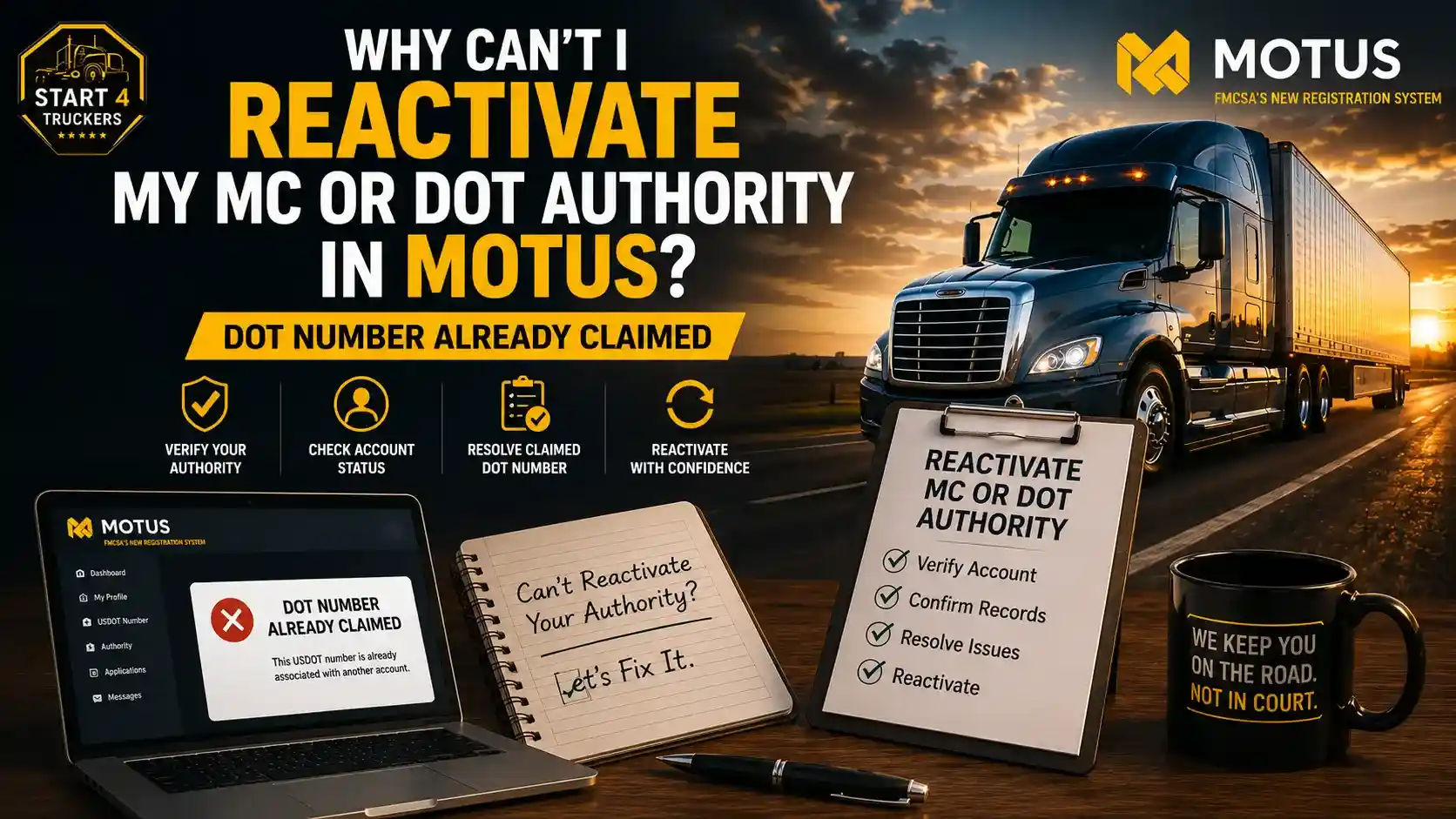
If MOTUS says your DOT number is already claimed when you try to reactivate your MC or DOT authority in MOTUS, the system likely already has that USDOT number associated with a MOTUS account or existing carrier record. This issue usually gets resolved by confirming account ownership, checking your carrier record, and following the appropriate FMCSA process rather than starting over from scratch.
This guide explains why the “DOT number already claimed” message appears, what it actually means, how to check your carrier record, how to troubleshoot your MOTUS account, and when it is time to contact FMCSA directly. Start4Truckers LLC helps carriers work through this type of MOTUS reactivation problem.
Why Can’t I Reactivate My MC or DOT Authority in MOTUS?
The most common reason you cannot reactivate your authority is that your USDOT number is already claimed or associated with an existing MOTUS account.
The Most Common Reason: Your DOT Number Is Already Claimed
Your USDOT number may already be associated with a MOTUS account or existing carrier record. This can happen even when you are the legitimate owner of the number.
For example, the association may exist under:
- A different login
- An old MOTUS account
- A previous company administrator
- Another authorized company representative
- An existing carrier record that needs correction
If MOTUS already recognizes the USDOT number as claimed, trying to claim it again from another account may not solve the problem.
Other Reasons MOTUS May Block Reactivation
Beyond a claimed DOT number, MC or DOT authority reactivation in MOTUS can also be affected by:
- Signing in with the wrong MOTUS account
- An old account association that has not been updated
- Incomplete identity verification
- A mismatch between your carrier information and FMCSA records
- Incorrect business information
- An authority status that is not currently eligible for the requested action
- Existing FMCSA record issues
- Account or system synchronization problems
What Does “DOT Number Already Claimed” Mean in MOTUS?
“DOT number already claimed” generally means the USDOT number is already associated with a MOTUS account or existing carrier record. Before creating another account, verify the correct account, carrier information, and existing association rather than assuming the number itself has been lost.
What Is a USDOT Number Claim in MOTUS?
The basic relationship looks like this:
Motor carrier → USDOT number → FMCSA carrier record → MOTUS account
Your USDOT number identifies your carrier, while MOTUS provides the account-based system used to manage the carrier record.
When the USDOT number is already associated with a MOTUS account, another account may not be able to claim the same number until the existing association is resolved.
Does “Already Claimed” Mean Someone Stole My DOT Number?
Not necessarily, and this is an important point of reassurance. This message doesn’t automatically mean fraud or theft. Common, far less alarming scenarios include:
- You already claimed it previously, possibly under a different login
- Another authorized user at your company claimed it
- An old account from a previous employee or administrator is still associated with it
- FMCSA or MOTUS records simply need correction
Why MOTUS Uses Account and Identity Verification
MOTUS relies on Login.gov identity verification and account ownership checks specifically to prevent unauthorized parties from claiming someone else’s carrier record. This same security layer is what creates the “already claimed” message when an association already exists.
MC Number vs. USDOT Number: What Are You Actually Trying to Reactivate?
Your USDOT number identifies your business for safety and registration purposes, while your MC number represents your operating authority to haul regulated freight or passengers. Reactivating one doesn’t automatically resolve issues with the other, which is why it’s worth understanding which one is actually causing your problem.
What Is a USDOT Number?
Your USDOT number is a unique identifier tied to your carrier business, used by FMCSA to track safety records and registration status.
What Is an MC Number?
Your MC number represents your operating authority, the legal permission to transport regulated freight or passengers across state lines. Our guide on DOT Number vs MC Number breaks this distinction down further.
What Does It Mean When MC Authority Is Inactive?
An inactive MC authority status means your operating authority isn’t currently active in FMCSA’s system, separate from whether your USDOT number itself is active or claimed correctly in MOTUS.
Can You Reactivate an MC Authority Without Fixing the MOTUS Account Issue?
Generally, no. If the underlying MOTUS account or USDOT number claim problem isn’t resolved first, attempts to reactivate your MC authority through the same account are likely to run into the same roadblock.
Why Does MOTUS Say My USDOT Number Is Already Claimed?
This message typically appears because your USDOT number is linked to your own current MOTUS account, an old MOTUS account you’ve since lost access to, another authorized person’s account, or because your submitted business information doesn’t match what FMCSA has on file.
Your USDOT Number Is Already Linked to Your MOTUS Account
Sometimes the simplest explanation is correct: you may already have a working association under your current account without realizing it.
Your USDOT Number Is Linked to an Old MOTUS Account
Previous logins, a former administrator’s account, or old credentials from before a company ownership change can leave an outdated association in place.
Another Authorized Person Claimed the USDOT Number
A business owner, compliance manager, or other authorized company representative may have already claimed the number under their own account.
Your Business Information Does Not Match the FMCSA Record
Mismatches involving your legal business name, DBA, address, or other carrier details can prevent MOTUS from confirming the claim, even when the underlying number is genuinely yours.
MOTUS Account or Identity Verification Is Incomplete
If your Login.gov identity verification hasn’t fully completed, this can interfere with your ability to claim or reactivate your authority.
The FMCSA Carrier Record Needs Attention
Sometimes the real issue sits with the underlying FMCSA record itself, not with anything you’re doing wrong in MOTUS.
Not sure which of these applies to your situation? Call Start4Truckers LLC at (210) 588-9348, and we’ll help you figure it out.
How to Check Your MC and DOT Authority Status Before Reactivating
Before attempting reactivation again, confirm your USDOT number and legal business name are accurate, check your current MC number and authority status, and compare your MOTUS information side by side with your official FMCSA record.
Confirm Your USDOT Number
Verify your USDOT number, legal business name, DBA if applicable, and current business information match what you believe is on file.
Check Your MC Number and Authority Status
Confirm whether your authority currently shows as active, inactive, pending, or another status entirely within your FMCSA records.
Compare MOTUS Information With Your FMCSA Record
| Information | MOTUS | FMCSA Record |
| Legal business name | ✓ | ✓ |
| USDOT number | ✓ | ✓ |
| MC number | ✓ | ✓ |
| Address | ✓ | ✓ |
| Authority status | ✓ | ✓ |
Walking through each row of this checklist before attempting reactivation again can surface a mismatch you might otherwise miss.
How to Fix the “DOT Number Already Claimed” Issue in MOTUS
Fixing this issue involves signing into the correct MOTUS account, checking whether your USDOT number is already associated with that account, reviewing your carrier information, completing identity verification, and determining whether the number is tied to another account before contacting FMCSA if needed.
Step 1: Sign In to the Correct MOTUS Account
Use the account genuinely associated with your carrier business, and confirm you’re not accidentally using a different Login.gov identity. Avoid creating a brand-new account simply because your first attempt didn’t work.
Step 2: Check Whether Your USDOT Number Is Already Associated With the Account
Look through your current account’s dashboard to see if the association already exists in a place you didn’t expect.
Step 3: Review Your Carrier and Business Information
Double-check your legal name, USDOT number, MC number, address, and other identifying carrier details for accuracy.
Step 4: Verify Your Identity and Account Information
If your issue is related specifically to Login.gov or identity verification, our MOTUS identity verification troubleshooting guide provides additional help.
Step 5: Determine Whether the DOT Number Is Associated With Another Account
If you genuinely cannot claim the number, avoid repeatedly submitting duplicate requests. Instead, work to identify whether an old account exists or whether another authorized person controls the association.
Step 6: Gather Proof of Ownership and Carrier Information
Collect your USDOT number, MC number, legal business name, business address, account or login information, relevant FMCSA correspondence, and any evidence of business ownership or authorization you may need.
Step 7: Contact FMCSA if the Claim Cannot Be Resolved
If none of the above resolves the issue, it’s time to escalate directly to FMCSA support for account-specific help.
Stuck on a claimed DOT number issue? Call Start4Truckers LLC at (210) 588-9348 today.
What to Do If Your USDOT Number Is Linked to Another MOTUS Account
Start by determining who previously claimed the number, whether that’s you under a different login, a former administrator, or another authorized representative, and work to resolve that existing association rather than creating a new, conflicting account.
First Determine Who Previously Claimed the DOT Number
Consider whether it could be you, a previous company administrator, a compliance employee, an authorized representative, or a former user’s account that’s no longer active on your end.
Do Not Create Multiple MOTUS Accounts to Bypass the Problem
Creating a second account to work around the issue tends to make troubleshooting harder rather than easier, since it adds another conflicting record into the mix.
Request Help With the Existing Account or Carrier Association
The real goal is resolving the existing association, not creating a competing one. This often means working directly with FMCSA to sort out which account should legitimately control the record.
Can You Reactivate an Inactive MC or DOT Authority in MOTUS?
Yes, in many cases, but reactivation depends on your current carrier status, authority status, and accurate FMCSA records being in place first. Reactivation is also different from applying for brand-new authority, and confusing the two can create unnecessary complications.
When Authority Reactivation May Be Possible
Reactivation is generally possible when your carrier status, authority status, and FMCSA records are accurate, and your account access is properly established.
When You May Need to Resolve Another Issue First
You may need to resolve a DOT number claim problem, incorrect carrier information, an account ownership issue, an identity verification problem, or inconsistent records before reactivation can proceed.
Reactivation Is Different From Applying for New Authority
This distinction is important. If your authority is inactive, that doesn’t automatically mean you need to apply for a brand-new USDOT number or MC number. Reactivating your existing record is usually the correct path, not starting over. If you do end up needing a fresh application for a separate reason, our guide on how to apply for a new USDOT number in MOTUS can help.
Common MOTUS Reactivation Mistakes to Avoid
The most common mistakes include creating a second MOTUS account, repeatedly trying to claim the same USDOT number, entering business information that doesn’t match existing records, assuming “already claimed” means your number is lost, and applying for a new USDOT number without checking the existing one first.
- Creating a Second MOTUS Account: This often complicates rather than resolves the issue
- Trying to Claim the Same USDOT Number Repeatedly: Repeated attempts without changing anything rarely produce a different result
- Entering Business Information That Does Not Match Your Records: Small inconsistencies can block verification
- Assuming “Already Claimed” Means Your DOT Number Is Gone: This is a common but incorrect assumption
- Applying for a New USDOT Number Without Checking the Existing Record: This can create duplicate carrier records
- Ignoring an Old Account or Previous Authorized User: The old association needs to be addressed, not worked around
- Submitting Incomplete Information to FMCSA Support: This slows down resolution significantly
What Information Should You Have Before Contacting FMCSA?
Before reaching out, gather your carrier information, your MOTUS account details, and your current and previous authority information so FMCSA support can address your situation efficiently.
Carrier Information
- Legal business name
- DBA, if applicable
- USDOT number
- MC number
- Business address
MOTUS Account Information
- Login.gov account information
- Account email
- The exact error message
- Screenshots, if appropriate
- Date and time of the attempted action
Authority Information
- Current authority status
- Previous authority status
- Relevant FMCSA correspondence
- Previous registration information
How Long Does It Take to Resolve a MOTUS Authority Reactivation Problem?
There’s no fixed timeline for resolving this type of issue, since it depends heavily on whether manual review is required, how complete your submitted information is, and how quickly any underlying record mismatches can be sorted out.
Why Some MOTUS Issues May Require Manual Review
Account ownership disputes and record mismatches often require an FMCSA staff member to manually verify the situation rather than resolving automatically.
What Can Cause Additional Delays?
Missing information, identity or account problems, record mismatches, incorrect submissions, and general support review backlogs can all extend the timeline.
How to Avoid Unnecessary Delays
Verify your information carefully before submitting anything, use the correct account from the start, save the exact error message you received, submit complete information the first time, and avoid duplicate submissions.
When Should You Contact FMCSA About a “DOT Number Already Claimed” Error?
Contact FMCSA directly when you can’t identify which account is claiming your number, when your correct carrier record isn’t accessible, when your information is accurate but MOTUS still blocks the action, or when an old account appears to control the association.
Contact FMCSA When:
- You cannot identify the account claiming the number
- The correct carrier record is not accessible
- Your information is correct, but MOTUS still blocks the action
- An old account appears to control the association
- The carrier information on file appears incorrect
- You need official assistance directly with the record
What to Tell FMCSA
A clear, structured explanation helps speed up resolution: problem → USDOT number → MC number → account details → exact error message → steps already attempted → the resolution you’re requesting.
MOTUS Authority Reactivation Troubleshooting Checklist
- Confirm USDOT number
- Confirm MC number
- Check authority status
- Sign in to the correct MOTUS account
- Check whether the DOT number is already associated
- Verify business information
- Complete required identity verification
- Check for an old or previous account
- Save the exact error message
- Gather carrier documentation
- Contact FMCSA if the issue remains unresolved
How Start4Truckers LLC Can Help With MOTUS Authority Problems
MOTUS Registration and Account Assistance
Start4Truckers LLC helps review MOTUS registration problems, USDOT information, MC authority issues, carrier information, and account-related problems that can stand between you and a working, active authority.
Review Your Carrier Information Before Submission
A second set of eyes on your business details, USDOT number, and MC number before you attempt reactivation can catch a mismatch before it turns into a bigger delay.
When Professional Compliance Help Makes Sense
If you’re stuck because MOTUS says your DOT number is already claimed, Start4Truckers LLC can help you review the issue and identify the appropriate next step for your carrier registration and compliance needs.
If you prefer to have a professional handle the process, you can hire a third-party agency like Start4Truckers.com to assist with your MOTUS authority reactivation. Their team can handle the process for you, with a typical turnaround time of 48 hours.
Final Takeaway
A “DOT number already claimed” message doesn’t mean your DOT number is lost. It almost always points to an existing association, whether that’s your own account, an old login, or another authorized user, that needs to be identified and resolved rather than worked around. Verifying the correct MOTUS account, checking your carrier record, confirming your business information, and investigating any existing account association will resolve most cases without needing to contact FMCSA at all. When those steps don’t clear it up, reaching out to FMCSA directly with complete, accurate information is the right next move.
Start4Truckers LLC can help you review your specific situation and figure out the right path forward. Call us at (210) 588-9348 or reach out through our contact page to get your MC or DOT authority reactivation moving again.
Frequently Asked Questions
1. Why can’t I reactivate my MC or DOT authority in MOTUS?
The most common reason is that your USDOT number is already associated with a MOTUS account or existing carrier record, which can block reactivation until that association is confirmed or resolved.
2. What does “DOT number already claimed” mean in MOTUS?
It means the USDOT number is already linked to a MOTUS account or carrier record, which could be your own account under a different login, an old account, or another authorized user’s account.
3. Why does MOTUS say my USDOT number is already claimed?
This can happen due to an existing link to your current account, an old account association, another authorized person’s claim, or a mismatch between your submitted information and FMCSA’s records.
4. How do I reactivate my MC authority in MOTUS?
Confirm your carrier information is accurate, resolve any USDOT number claim issue first, verify your identity and account access, and then proceed with the reactivation request through your correct MOTUS account.
5. How do I reactivate my DOT authority in MOTUS?
Similar to MC authority, this starts with confirming your carrier record is accurate and accessible under the correct account before attempting the reactivation process itself.
6. How do I claim my USDOT number in MOTUS?
Sign in to the MOTUS account genuinely tied to your business, enter your accurate USDOT number and business information, and complete any required identity verification steps.
7. What if my USDOT number is linked to an old MOTUS account?
Determine who controlled that old account, whether it’s a former administrator or previous login, and work to resolve that association rather than creating a new, conflicting account.
8. Can someone else claim my USDOT number in MOTUS?
In most cases, this reflects a legitimate prior claim by an authorized user, rather than fraud. Still, it’s worth confirming who claimed it and resolving the situation directly with FMCSA if needed.
9. Can I create another MOTUS account if my DOT number is already claimed?
This isn’t recommended. Creating a second account tends to complicate troubleshooting rather than resolve the underlying claim issue.
10. Can FMCSA fix a “DOT number already claimed” problem?
Yes. FMCSA support can help investigate and resolve account ownership and claim issues that can’t be sorted out through the standard MOTUS interface alone.
11. Can an inactive MC authority be reactivated?
Yes, in many cases, provided your carrier status, authority status, and FMCSA records are accurate, and the correct account access is in place.
12. What should I do if my MOTUS information does not match my FMCSA record?
Correct the mismatched information directly, whether that’s your business name, address, or another detail, before attempting reactivation again.
13. How long does it take to resolve a MOTUS authority problem?
There’s no fixed timeline. Straightforward corrections tend to resolve faster than issues requiring manual review or FMCSA investigation into account ownership.
14. What information do I need when contacting FMCSA about MOTUS?
Have your carrier information, MOTUS account details, exact error message, and current and previous authority information ready before reaching out.
15. Can Start4Truckers LLC help with a MOTUS authority reactivation problem?
Yes. Start4Truckers LLC helps carriers review MOTUS account issues, carrier information mismatches, and USDOT number claim problems to identify the right path toward reactivation.