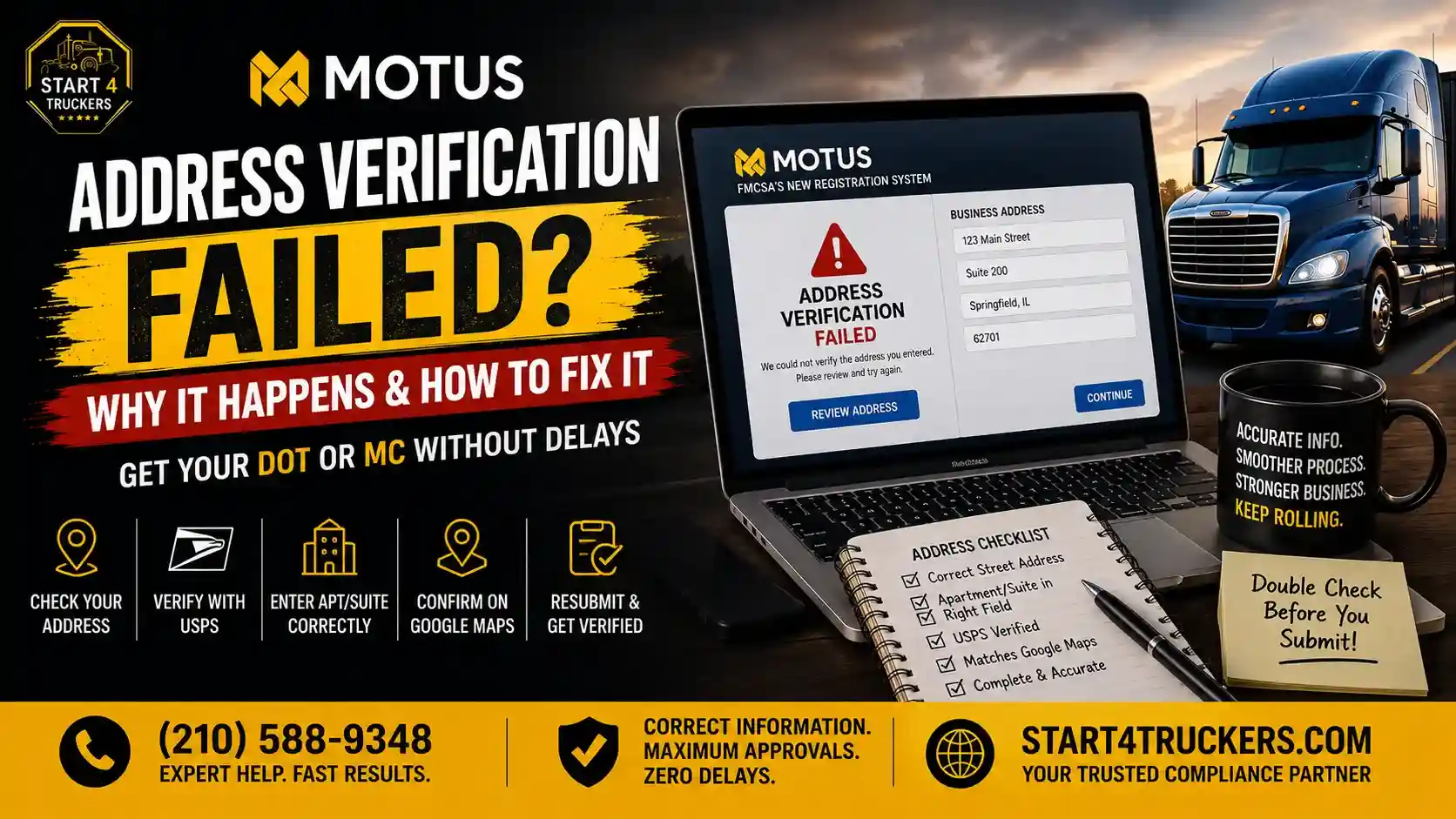
Some applicants run into an “address verification failed” message while applying for a USDOT number or MC authority through MOTUS. This is a common snag and usually does not mean your business is illegitimate.
If MOTUS cannot verify your address:
- Check that your address is entered correctly.
- Confirm that USPS recognizes the address.
- Make sure apartment or suite information is entered in the correct address field.
- Verify that the address appears correctly on Google Maps or Google Search.
The rest of this blog explains exactly why address verification fails in MOTUS and how to fix it step by step. Start4Truckers LLC can also help carriers work through this type of MOTUS registration issue.
What Does “MOTUS Address Verification Failed” Mean?
What Does “Address Verification Failed” Mean in MOTUS?
This message means MOTUS’s automated system could not successfully confirm the location information you entered against available address records. It is a verification issue, not necessarily a statement that your address is invalid or fraudulent.
Address verification exists because MOTUS needs to confirm the physical business location connected to your USDOT number or MC authority application.
An address may be completely real and correct but still fail automated verification because:
- The address format does not match available records.
- The address is new and has not been fully added to address databases.
- Apartment or suite information is entered incorrectly.
- The address is listed differently across USPS, Google, or other records.
- MOTUS cannot match the location information with its available records.
Is MOTUS Checking Your Business Address?
Yes. During registration, MOTUS checks the address information you submit for your carrier profile, comparing it against available address records to confirm it represents a real, findable location.
Does an Address Verification Failure Mean Your DOT or MC Application Is Rejected?
No, and this distinction matters. An address-verification problem and an outright application rejection are not the same thing. A verification failure typically means something about the submitted information needs to be corrected or confirmed, not that FMCSA has denied your application. Most address verification issues get resolved once the underlying formatting or accuracy problem is fixed.
Why Did MOTUS Address Verification Fail?
MOTUS address verification most commonly fails because the location isn’t being recognized correctly by address-matching systems like USPS, because the address is incomplete or incorrectly formatted, because apartment or suite information was entered in the wrong field, or because the address is newly established and not yet consistently reflected across address databases.
USPS Is Not Fetching or Recognizing Your Location
This is one of the most common and most overlooked causes of a MOTUS address verification failure. If your address cannot be found or recognized through the address-verification process, you’re likely to run into this error, even when the address itself is completely legitimate.
If USPS is not fetching your location, check whether the address is correctly recognized by USPS and whether the information has been entered exactly as expected, matching the standardized format USPS uses. This can affect newly established addresses, rural addresses, incorrect street information, incorrect ZIP codes, or unusual address formatting that USPS systems don’t immediately recognize.
Your Business Address Is Incorrect or Incomplete
Simple entry errors are one of the most fixable causes of this problem:
- Missing street number
- Incorrect street name
- Wrong city
- Wrong state
- Wrong ZIP code
- Missing directional information (like N, S, E, W)
- Typographical errors
- Incorrect spelling
Your Apartment or Suite Number Is in the Wrong Address Field
This is a specific, very common trigger worth its own explanation. MOTUS applications generally expect a two-part address structure:
Address Field 1: Street address (example: 123 Main Street)
Address Field 2: Apartment, Suite, Unit, Building, etc. (example: Suite 200)
If your trucking business is located in an apartment, office building, or multi-unit location, putting the unit information in the correct Address Field 2, rather than combining it into Address Field 1, can help the address get recognized correctly. This isn’t guaranteed to fix every verification failure on its own, but it’s one of the most common and easily overlooked mistakes applicants make.
Your Address Does Not Match Available Address Records
Discrepancies involving the street address, city, state, ZIP code, unit number, or general formatting between what you entered and what’s reflected in available records can trigger a mismatch.
The Address Is New or Recently Established
Newly established business locations, especially new construction or recently subdivided units, may not immediately appear consistently across every address database MOTUS checks against.
The Address Format Is Causing a Problem
Small formatting issues can matter more than people expect:
- Non-standard abbreviations
- Suite or unit placement within the wrong line
- Extra punctuation
- Incorrect ZIP code formatting
- Inconsistent street suffixes (St. vs Street vs ST)
- Stray extra characters or spaces
Not sure which of these is causing your specific error? Call Start4Truckers LLC at (210) 588-9348, and we’ll help you figure it out.
How to Fix MOTUS Address Verification Failed
To fix a MOTUS address verification error, recheck your complete business address, confirm whether USPS recognizes the location, place apartment or suite information in Address Field 2, verify the address on Google, correct any formatting errors, and then retry the application.
Step 1: Recheck Your Complete Business Address
Go through every piece individually: street number, street name, city, state, ZIP code, apartment/suite/unit, and confirm the address genuinely represents your business location.
Step 2: Check Whether USPS Is Fetching Your Location
Look up your address through USPS’s own address tools to see whether it’s recognized in a standardized format. If the location isn’t being recognized there, that mismatch is very likely part of what’s causing MOTUS to fail verification as well. Correcting the address to match USPS’s standardized format, including proper abbreviations and formatting, can resolve this.
Step 3: Put Apartment or Suite Information in Address Field 2
If your business address is an apartment address, put the suite or unit number in Address Field 2 rather than combining it into the main street address line. For example:
Address Field 1: 123 Trucking Way
Address Field 2: Suite 105
Separating the street address from the unit designation this way can prevent the kind of formatting and recognition issues that trigger verification failures for multi-unit locations.
Step 4: Check and Verify the Address on Google
Search your complete address on Google Search and Google Maps as a cross-check. Confirm that the address appears, that the street is correct, that the city and state are correct, that the ZIP code is correct, that the location points to the correct place, and that the business or location information looks consistent with what you’re submitting. Google verification is a genuinely useful sanity check, but it isn’t proof that MOTUS will automatically accept the address; treat it as one part of your overall verification process, not a guarantee.
Step 5: Compare the Address Across Your Business Records
Check that the address matches consistently across your other business documentation, since discrepancies between different records can compound the confusion.
Step 6: Remove Typos and Correct Formatting
Re-enter the address cleanly, watching for extra spaces, incorrect abbreviations, or inconsistent formatting between fields.
Step 7: Retry the MOTUS Application
Once you’ve corrected the address, submit it again. Avoid changing an address that’s already correct just to see if a different variation happens to pass, since that can create its own inconsistencies later.
Step 8: Follow the Applicable FMCSA/MOTUS Support or Review Process
If the address is genuinely correct but verification still fails after these steps, the next move is following FMCSA’s support or review process rather than repeatedly resubmitting the same information.
Still stuck after trying these steps? Call Start4Truckers LLC at (210) 588-9348 today.
How to Check Your Address Before Applying for a DOT or MC
Before applying, check your address against USPS’s standardized format, search it on Google, confirm the address field structure is correct, and cross-check it against your other business records.
Check the Address With USPS
Confirm your address matches the standardized format USPS recognizes, since this is one of the most common points of failure.
Search the Address on Google
Search the full address on Google Search and Google Maps to confirm it comes up correctly and points to the right location before you even begin your MOTUS application.
Confirm the Address Format
Double-check that your street address belongs in Address Field 1 and any apartment, suite, or unit information belongs in Address Field 2, along with correct city, state, and ZIP code.
Check Your Business Records
Make sure the address you’re about to submit is accurate, current, and consistent with your other business documentation.
What Address Should You Enter for a DOT or MC Application in MOTUS?
You should enter your actual business or physical address, with the street address in the first field and any apartment, suite, or unit number in the second field, rather than substituting an unrelated address simply because it happens to pass an online lookup.
Physical Address vs Mailing Address
Your physical address is where your business is actually located, while your mailing address is where you receive mail, which can sometimes differ, such as with a PO box. MOTUS generally needs your physical business address for registration purposes.
Can You Use a Home Address for a Trucking Company?
Many owner-operators and small carriers do use a home address as their registered business address, since a home-based trucking operation is common, especially at the owner-operator level.
What If Your Trucking Company Operates From an Apartment?
This is especially relevant for many owner-operators. If your business address is an apartment, the key is entering the street address correctly in Address Field 1 and the apartment or unit number correctly in Address Field 2, rather than combining both into a single line.
Where Should the Suite or Apartment Number Go?
To reinforce this clearly, since it’s one of the most common fixable causes of this error: suite, apartment, or unit numbers belong in Address Field 2, separate from the street address itself in Address Field 1.
Does MOTUS Address Verification Affect Your DOT or MC Application?
Yes, address verification is part of the overall registration process, so an unresolved verification failure can delay your USDOT number or MC authority application until the address issue is corrected.
MOTUS Address Verification and USDOT Number Applications
Address verification is one of several checks your USDOT number application goes through, so an address problem can hold up an otherwise complete application.
MOTUS Address Verification and MC Authority Applications
The same general principle applies to MC authority applications, since accurate business location information is part of what’s being confirmed during registration.
Can an Address Error Delay Your Application?
Yes. An unresolved address verification issue can slow down your registration timeline until it’s corrected, which is exactly why catching and fixing it early matters.
What If Your Address Is Correct but MOTUS Still Cannot Verify It?
If you’ve confirmed the address is accurate, checked USPS recognition, corrected the address field structure, and verified it on Google, but MOTUS still won’t confirm it, the appropriate next step is following FMCSA’s applicable support or review process rather than repeatedly resubmitting the identical information.
MOTUS Address Verification Failed: Common Problems and Quick Fixes
| Problem | What to Check |
| USPS cannot find the address | Verify the address with USPS’s standardized format |
| Apartment/suite not recognized | Put unit information in Address Field 2 |
| Wrong ZIP code | Verify the ZIP code |
| Wrong city/state | Correct the location information |
| Typographical error | Re-enter the complete address carefully |
| Address formatting problem | Use standard address formatting |
| New location | Check whether the address is recognized in available databases |
| Google shows a different location | Verify the street, city, state, and ZIP |
| Correct address still fails | Follow applicable MOTUS/FMCSA support or review steps |
How to Avoid MOTUS Address Verification Problems
Prevent this issue before it starts by verifying your address with USPS and Google ahead of time, correctly placing suite or apartment information in Address Field 2, double-checking city, state, and ZIP code accuracy, and reviewing your full application before submitting.
- Verify Your Address Before Starting the Application: Don’t wait for a failure to check accuracy
- Check USPS Address Recognition: Confirm the address matches USPS’s standardized format
- Verify the Location on Google: Cross-check on Google Search and Google Maps
- Put Suite or Apartment Information in Address Field 2: Never combine it with the street address
- Double-Check City, State, and ZIP Code: Small errors here are easy to miss
- Keep Your Business Information Consistent: Match your address across all your records
- Review Everything Before Submitting Your Application: A final read-through catches typos before they cause delays
What If MOTUS Still Cannot Verify Your Address?
If you’ve confirmed the address is accurate and formatted correctly but MOTUS still won’t verify it, avoid repeatedly resubmitting the same or slightly altered information, and instead follow FMCSA’s applicable support or review process.
Don’t Keep Changing a Correct Address Just to Make It Pass
If your address is genuinely accurate, resist the urge to swap in a different, unrelated address just to get past the verification step. This can create inconsistencies with your actual business location down the line.
Review the Error Carefully
Read exactly what the error message says, since it can sometimes point to a specific field or issue rather than a general failure.
Confirm Your Supporting Business Information
Make sure your business name and other identifying details are consistent with your address submission.
Use the Applicable FMCSA/MOTUS Support Channel
If self-troubleshooting hasn’t resolved it, reach out through FMCSA’s appropriate support process for further assistance.
Be Prepared for Additional Review
Some address issues may require additional manual review before resolving, so build in a little patience once you’ve escalated the issue.
MOTUS Address Verification Failed vs Other MOTUS Errors
| Error | Main Issue |
| Address verification failed | Address/location verification |
| Identity verification failed | Applicant identity verification |
| Application no longer active | Application/status issue |
| DOT number already claimed | Existing carrier/account association |
| Pending manual review | Application requires additional review |
If your issue doesn’t match an address problem specifically, our guide on MOTUS registration errors covers a broader range of common problems carriers run into.
Can Start4Truckers LLC Help With Your DOT or MC Registration?
Start4Truckers LLC can help trucking businesses navigate registration and compliance-related processes, including address verification snags that hold up an otherwise complete application.
Help With DOT Number Registration
We help carriers submit accurate, correctly formatted USDOT number registration applications from the start.
Help With MC Authority Registration
We also support carriers through MC number registration, helping avoid the small errors that create unnecessary delays.
Help Understanding MOTUS Registration Problems
If you’re stuck on a specific MOTUS error, we can help you understand what it actually means and what to do next.
Help Avoiding Common Application Mistakes
A second set of eyes on your application, including your address formatting, before you submit can catch problems before they cost you time.
We don’t override FMCSA’s verification process, but we can help make sure your application is accurate and correctly formatted the first time.
Call Start4Truckers LLC at (210) 588-9348 or visit our contact page for help with your registration.
MOTUS Address Verification Checklist
- Correct street number
- Correct street name
- Correct city
- Correct state
- Correct ZIP code
- USPS recognizes the location
- Apartment/suite placed in Address Field 2
- Address checked on Google
- Google location appears correct
- Business information is accurate
- No spelling mistakes
- No unnecessary formatting issues
- Application information reviewed before submission
Final Takeaway: How to Fix MOTUS Address Verification Failed
A MOTUS address verification failure almost always comes down to something fixable: an address USPS isn’t recognizing cleanly, unit information sitting in the wrong field, a small formatting error, or a genuinely new location that hasn’t caught up across every address database yet.
Start by checking the address carefully against USPS’s standardized format. If your business is located in an apartment, office suite, or other multi-unit building, make sure that unit information sits in Address Field 2, separate from the street address in Address Field 1. Search the complete address on Google and Google Maps as a cross-check to confirm it points to the right location. Correct any discrepancies or formatting problems you find, then retry the application.
If your address is genuinely correct and formatted properly but MOTUS still won’t verify it, follow FMCSA’s applicable support or review process rather than repeatedly submitting the same information. And if you’d rather have an extra set of eyes on your application before you submit it, Start4Truckers LLC can help.
Call (210) 588-9348 or reach out through our contact page to get your DOT or MC registration moving forward.
Frequently Asked Questions
1. Why did my address verification fail in MOTUS?
It’s usually caused by USPS not recognizing the address as entered, an incorrect or incomplete address, apartment or suite information placed in the wrong field, or address formatting issues.
2. How do I fix MOTUS Address Verification Failed?
Recheck your complete address, confirm USPS recognizes it, place suite or apartment numbers in Address Field 2, verify the address on Google, correct any errors, and retry the application.
3. Why can’t MOTUS verify my business address?
Common reasons include the address not being recognized by USPS, missing or incorrect address details, unit numbers in the wrong field, or a newly established location not yet reflected consistently across address records.
4. What address should I use for a DOT number application in MOTUS?
Use your actual business or physical address, entering the street address in Address Field 1 and any apartment or suite number in Address Field 2.
5. What address should I use when applying for MC authority in MOTUS?
The same general principle applies: use your accurate, current business address, correctly split between the street address field and the unit or suite field.
6. What should I do if USPS cannot find my address?
Check your address against USPS’s standardized format directly, correct any formatting mismatches, and re-enter it exactly as USPS recognizes it before resubmitting your MOTUS application.
7. Where should I enter my apartment or suite number in MOTUS?
Apartment, suite, or unit numbers should go in Address Field 2, separate from the street address entered in Address Field 1.
8. Can I put my suite number in Address Field 2?
Yes, and doing so is one of the most effective ways to resolve verification issues for businesses located in apartments, offices, or other multi-unit buildings.
9. Should I check my address on Google before applying for a DOT number?
Yes. Searching the complete address on Google Search and Google Maps is a useful cross-check to confirm it points to the correct location before or after submitting your application.
10. Can I use a home address for my trucking company?
Yes, many owner-operators and small carriers use a home address as their registered business address for DOT and MC applications.
11. Can an address verification error delay my DOT or MC application?
Yes. An unresolved address verification issue can hold up your registration until the address problem is corrected.
12. What happens if MOTUS cannot verify my correct address?
If the address is genuinely accurate and properly formatted but still fails verification, the appropriate next step is following FMCSA’s applicable support or review process rather than resubmitting repeatedly.
13. Can I resubmit my MOTUS application after an address verification failure?
Yes, after correcting the underlying issue, whether that’s formatting, field placement, or an outright error, you can resubmit your application.
14. Why does my address appear on Google but fail in MOTUS?
Google and MOTUS use different systems to recognize and verify locations, so an address can appear correctly on Google while still needing formatting or field corrections to pass MOTUS’s own verification process.
15. How can I prevent an address verification failure in MOTUS?
Verify your address against USPS’s standardized format and on Google before applying, place suite or apartment information in the correct field, double-check city, state, and ZIP code accuracy, and review your full application before submitting.