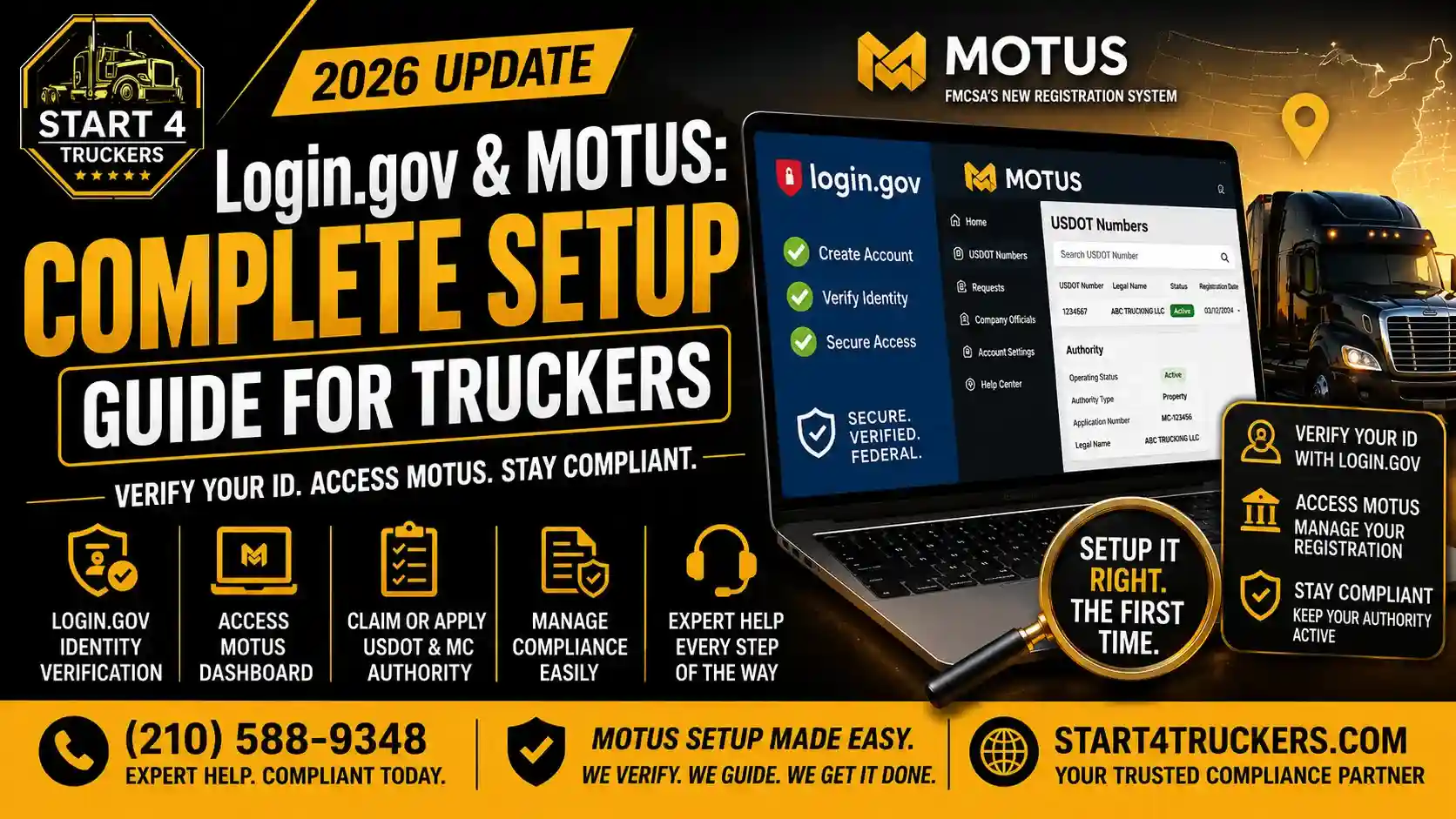
If you have tried to register through the FMCSA’s new MOTUS platform, you have already run into a name you cannot skip past: Login.gov.
Many truckers open MOTUS expecting a simple registration form. Instead, they hit a wall, a requirement to create a completely separate account on a federal identity verification system before they can do anything else.
This confuses people. It stalls applications. And when it goes wrong, it can delay your USDOT number, your MC authority, or your entire FMCSA registration by weeks.
This guide explains exactly how Login.gov and MOTUS work together, walks you through the correct account setup process step by step, and shows you how to avoid the errors that trip up most new applicants.
Login.gov and MOTUS
Login.gov is the U.S. federal government’s secure identity verification platform, and it is required to access MOTUS, the FMCSA’s new digital registration system. Every trucker, owner-operator, motor carrier, and freight broker must create a Login.gov account and complete identity verification before they can register for a USDOT number, apply for MC authority, or manage any FMCSA compliance filings. Login.gov confirms who you are. MOTUS uses that verified identity to manage your carrier registration and compliance records.
What Is Login.gov?
Understanding the Federal Identity Verification System
Login.gov is a secure, single sign-on service operated by the U.S. General Services Administration. It allows people to access multiple federal government services using one verified identity.
It is not specific to trucking or the FMCSA. Many federal agencies use Login.gov, including the IRS, the Social Security Administration, and the Department of Veterans Affairs. The FMCSA adopted it as the identity backbone for the MOTUS platform.
Why the FMCSA Chose Login.gov for MOTUS
Before MOTUS, the FMCSA’s old Unified Registration System (URS) had no real identity verification. Anyone could submit a carrier registration with basic business information and no proof of who they actually were.
That gap allowed fraudulent registrations and chameleon carrier operators who had been shut down by enforcement actions to simply reregister under new identities and keep operating.
Login.gov closes that gap. By requiring every applicant to verify their real, government-confirmed identity, the FMCSA can now confirm exactly who is behind every carrier registration.
For the full picture of how this fits into the broader registration overhaul, read our guide on the Motus FMCSA registration system.
What Is MOTUS?
The FMCSA’s New Digital Registration Platform
MOTUS is the FMCSA’s centralized digital platform for carrier registration, authority management, and compliance tracking. It replaced the outdated URS system and brings everything your USDOT number, your MC authority, your insurance filings, your BOC-3, your MCS-150 updates into one dashboard.
How Login.gov and MOTUS Work Together
Think of it this way: Login.gov is the door, and MOTUS is the building.
You cannot walk into the MOTUS building without first opening the Login.gov door. Your Login.gov account proves you are a real, verified person. Once that is confirmed, MOTUS lets you in to manage your carrier registration, claim your USDOT number, apply for authority, and handle your compliance filings.
| System | Role |
| Login.gov | Verifies your personal identity |
| MOTUS | Manages your carrier registration and compliance |
Without completing Login.gov first, you cannot access any part of MOTUS, no matter how complete your business information is.
Who Needs a Login.gov Account for MOTUS?
Anyone interacting with the FMCSA registration system in 2026 needs one. This includes:
- New carriers applying for a USDOT number and MC authority for the first time
- Owner-operators registering their own operating authority
- Existing carriers transitioning from URS to MOTUS
- Freight brokers applying for or managing broker authority
- Freight forwarders with FMCSA registration requirements
- Motus Company Officials the designated individual responsible for a company’s FMCSA account
If you are unsure who within your company should be the one completing this process, read our guide on what a Motus Company Official is and who qualifies before you begin.
Step-by-Step Guide: Setting Up Login.gov for MOTUS
Step 1: Go to the Official Login.gov Website
Navigate to login.gov directly. Do not use a link from an email or text message claiming to be from FMCSA or Login.gov always type the address yourself or use the official FMCSA portal link.
Step 2: Create Your Account With a Personal Email
Use a personal email address that you check regularly not a shared company inbox. Login.gov sends verification codes and important account notices to this email, so it needs to be one you control.
Expert Tip: Avoid using an email address tied to a business domain that might change if your company structure changes later. A personal email keeps your Login.gov account stable long-term.
Step 3: Set a Strong Password and Choose Authentication Method
Login.gov requires a strong password and a second authentication method for security. Choose from options like:
- Text message codes
- Authentication app (Google Authenticator, Authy)
- Security key
- Government employee ID (if applicable)
For most truckers, text message authentication is the simplest and fastest option.
Step 4: Complete Identity Verification (Identity Proofing)
This is the step where most people run into trouble. Login.gov requires you to prove who you are using:
- A valid government-issued photo ID (driver’s license or U.S. passport)
- Your Social Security Number
- A smartphone or webcam to scan your ID and take a selfie for comparison
Your legal name must match exactly across your ID, your Login.gov account, and your FMCSA carrier records. Even small inconsistencies a missing middle initial, a maiden name versus married name can cause this step to fail.
Step 5: Confirm Your Identity Through the Verification Process
Login.gov cross-references your submitted information against federal identity records. If everything matches, your identity is confirmed within minutes. If there is a mismatch, you may be asked to try again or use an alternative verification path.
Step 6: Link Your Verified Login.gov Account to MOTUS
Once your Login.gov identity is verified, return to the MOTUS portal and log in using your new Login.gov credentials. This links your verified personal identity to your FMCSA carrier account.
Step 7: Claim or Create Your Carrier Profile in MOTUS
After logging in, you will either:
- Claim an existing USDOT number if you are transitioning from URS, or
- Apply for a new USDOT number and MC authority if you are a brand-new carrier
For existing carriers, our complete FMCSA compliance transition from URS to MOTUS guide walks through every step of claiming your existing records. For new carriers, the Motus for new carriers guide covers the full registration sequence.
Stuck setting up Login.gov or MOTUS? Call Start4Truckers LLC at (210) 588-9348, and we will walk you through every step of account creation and identity verification so your registration moves forward without delays.
Common Login.gov and MOTUS Setup Errors (And How to Fix Them)
| Error | Cause | Fix |
| Identity verification failed | Name mismatch between ID and FMCSA records | Correct your FMCSA MCS-150 record or use the exact legal name on your ID |
| “We could not verify your identity” | SSN or address does not match federal records | Confirm your SSN entry and current address with SSA records |
| Document scan rejected | Blurry photo, glare, or expired ID | Retake the scan in good lighting with a current ID |
| Account locked | Too many failed verification attempts | Wait out the lockout period, typically 24 hours, before retrying |
| MOTUS cannot find the USDOT number after login | The number is inactive, or the name does not match the carrier profile | Confirm USDOT status is active; correct any business name discrepancies |
| Duplicate Login.gov accounts | Created a second account after the first attempt failed | Never create multiple accounts; resolve the original account instead |
If you experienced a failed identity verification and need a complete walkthrough of every fix, our detailed guide on MOTUS identity verification failed: how to fix it step by step covers each error in depth.
What If Login.gov Verifies You But MOTUS Still Has Problems?
Sometimes your Login.gov identity verification succeeds, but you still cannot access your full carrier profile in MOTUS. This usually points to an issue on the FMCSA side rather than Login.gov.
Common causes include:
- Your USDOT number is deactivated or inactive
- Your legal business name in FMCSA records does not match your verified personal identity
- There is a duplicate or conflicting carrier account already on file
- Your application has been flagged for additional manual review
If your USDOT number was deactivated, you may need to file an updated MCS-150 to reactivate it. Learn more in our guide on what Form MCS-150 is and when to file it.
Login.gov and MOTUS for Existing Carriers vs New Carriers
Existing Carriers (URS to MOTUS Transition)
If you already have an active USDOT number under the old system, your Login.gov account is the key to claiming that existing record inside MOTUS. Your number does not change. Your authority and compliance history transfer over but your old URS login does not work anymore.
New Carriers Starting From Scratch
If you are brand new to trucking, Login.gov is simply the first gate you pass through before applying for your USDOT number and MC authority for the first time. There is no old account to migrate you are building your carrier profile fresh inside MOTUS from day one.
Either way, the Login.gov step comes first, every time, for everyone.
Tips to Avoid Login.gov and MOTUS Setup Delays
- Use a current, unexpired ID. An expired driver’s license or passport will fail every time.
- Match your name exactly. Check your FMCSA MCS-150 record against your government ID before you start.
- Use a stable internet connection. Avoid mobile data or public WiFi during identity verification.
- Disable VPNs. VPN use can trigger false security flags during identity proofing.
- Scan documents in good lighting. Avoid glare, shadows, and blurry photos.
- Use one email, one account. Never create a second Login.gov account if your first attempt fails.
- Update your address first if you moved recently. Address mismatches with federal records are a common cause of failure.
If your business structure or legal name has recently changed, also confirm your records are consistent. Our LLC vs sole proprietor for trucking guide can help you understand how your entity type affects your registration name.
How Login.gov and MOTUS Protect Your Carrier Identity
Once your account is set up correctly, your verified Login.gov identity stays permanently linked to your USDOT number and carrier profile. This protects you in two important ways.
First, no one else can claim your USDOT number or hijack your registration without going through the same identity verification you completed.
Second, it strengthens your career’s credibility. A verified identity tied to a clean compliance record is harder to confuse with fraudulent operators including chameleon carriers attempting to hide a history of enforcement actions. Learn more about how this protection works in our guide on what a chameleon carrier is and how MOTUS stops them.
How Start4Truckers LLC Helps With Login.gov and MOTUS Setup
Getting your Login.gov and MOTUS accounts set up correctly the first time saves you weeks of frustration. One name mismatch, one expired ID, or one missed step can stall your entire FMCSA registration.
Start4Truckers LLC helps carriers, owner-operators, and brokers across the country get through this process without the guesswork.
Here is how we help:
- Pre-verification record review checking your FMCSA profile for name and data mismatches before you attempt Login.gov verification
- USDOT registration support through our USDOT registration service
- MC authority application through our MC number registration service
- MCS-150 corrections through our MCS-150 filing service to fix mismatches before verification
- Full Motus registration guidance from account setup through authority activation
We work with carriers in Texas, Florida, California, Georgia, Ohio, and every other state nationwide.
Explore our trucking company setup services or check our plans and pricing to find the right package for you.
Need help getting verified and registered the right way? Visit our USDOT and MC authority registration services page or call Start4Truckers LLC at (210) 588-9348. We get your Login.gov and MOTUS setup done right the first time.
Conclusion
Setting up Login.gov and MOTUS correctly is the foundation of your entire FMCSA registration. Get the identity verification step right, and everything else, your USDOT number, your MC authority, your compliance filings, moves forward smoothly. Get it wrong, and your whole registration can stall for weeks.
Start4Truckers LLC is here to help you get it right the first time, every time.
Ready to get your account set up correctly? Contact Start4Truckers LLC for expert help with Login.gov verification, MOTUS registration, and full FMCSA compliance support. Request your free consultation or call (210) 588-9348 today.
Frequently Asked Questions
1. What is Login.gov, and why does MOTUS require it?
Login.gov is the U.S. federal government’s secure identity verification platform. MOTUS requires it because the FMCSA needs to confirm the real identity of every person registering a carrier, broker, or freight forwarder account. This prevents fraudulent registrations and chameleon carrier activity that was common under the old URS system, which had no identity verification requirement.
2. Do I need a Login.gov account to access MOTUS?
Yes. You cannot access any part of the MOTUS platform without first creating and verifying a Login.gov account. This applies to new carriers applying for their first USDOT number, existing carriers transitioning from URS, owner-operators, and freight brokers. There is no way to bypass this requirement.
3. What documents do I need for Login.gov identity verification?
You need a valid government-issued photo ID, such as a driver’s license or U.S. passport, your Social Security Number, and a smartphone or webcam to scan your ID and take a verification selfie. Your legal name must match exactly across your ID, your Login.gov account, and your FMCSA carrier records.
4. Can I use my business name for Login.gov verification?
No. Login.gov verifies your personal identity, not your business identity. You must use your legal personal name, your personal Social Security Number, and your personal address. Business information such as your company name or Tax id is entered separately inside MOTUS after your personal identity is verified.
5. Why did my Login.gov identity verification fail?
The most common cause is a name mismatch between your government ID and your FMCSA records. Other causes include an address that does not match federal records, a blurry or expired ID scan, an incorrect Social Security Number entry, or a technical issue during the verification session. Review the specific error message Login.gov provides to identify the exact cause.
6. How long does Login.gov verification take for MOTUS?
When all your information is accurate and your documents are ready, Login.gov verification typically takes 15 to 30 minutes. If additional review is triggered, it can take a few business days. Most straightforward verifications are complete in a single session.
7. Can I create a new Login.gov account if my first one fails verification?
No, you should not. Creating multiple Login.gov accounts under the same identity creates conflicts in the federal identity system that are harder to resolve than the original failure. Instead, identify and fix the specific problem with your existing account and retry, or use Login.gov’s in-person verification option at a participating Post Office.
8. Does my USDOT number change when I set up Login.gov and MOTUS?
No. Your USDOT number stays the same. Login.gov and MOTUS do not issue you a new number they simply verify your identity and link your verified account to your existing carrier records, or assign your number for the first time if you are a brand-new applicant.
9. What if MOTUS cannot find my USDOT number after Login.gov verification?
This usually means your USDOT number is inactive or deactivated, or there is a name mismatch between your verified Login.gov identity and your FMCSA carrier profile. Check your USDOT status through FMCSA carrier lookup tools, and consider filing an updated MCS-150 if your number has been deactivated.
10. Is Login.gov required for freight brokers, or only motor carriers?
Login.gov is required for all FMCSA-regulated entities, including freight brokers and freight forwarders, not just motor carriers. Anyone applying for or managing operating authority through MOTUS must complete Login.gov identity verification first, regardless of entity type.
11. What happens if I do not complete the Login.gov and MOTUS setup?
If you do not complete this process, you cannot manage your FMCSA registration, file required compliance updates like the MCS-150, or maintain active operating authority once URS access is fully phased out. This can lead to USDOT deactivation and authority suspension over time.
12. Can someone else complete Login.gov verification on my behalf?
No. Identity verification is personal and cannot be delegated. The individual designated as the Motus Company Official must complete their own Login.gov verification using their own ID and personal information. A third-party service can guide you through the process, but cannot complete the verification step for you.
13. Why does my address need to match for Login.gov verification?
Login.gov cross-references your identity against federal records, including your address on file with agencies like the Social Security Administration. If you have moved recently and your address has not been updated across these records, verification may fail due to a perceived mismatch.
14. What is the difference between Login.gov and MOTUS?
Login.gov is the identity verification layer it confirms who you are as an individual. MOTUS is the FMCSA’s registration and compliance management platform it handles your USDOT number, MC authority, insurance filings, BOC-3, and MCS-150 updates. You need Login.gov to access MOTUS, but they serve completely different functions.
15. How can Start4Truckers LLC help with Login.gov and MOTUS setup?
Start4Truckers LLC reviews your FMCSA records for potential mismatches before you attempt verification, helps correct your MCS-150 if needed, and guides you through the entire Login.gov and MOTUS registration process. We also handle your USDOT registration, MC authority application, and BOC-3 filing once your account is set up. Call (210) 588-9348 or request a free consultation to get started.