
You are ready to haul freight for hire. Your truck is registered, your LLC is formed, and your USDOT number is in hand. The one thing standing between you and your first legal load is your MC authority. In 2026, that application runs entirely through the FMCSA’s new Motus registration system, and if you have never used it before, the process looks different from anything you have done in the old portal.
This guide walks you through exactly how to apply for MC authority through Motus, from setting up your Login.gov account to the moment your operating authority goes active. Every step is in order. Follow them that way.
What Is MC Authority and Who Actually Needs It?
MC authority, also called Motor Carrier operating authority, is the federal permission that allows you to haul freight for hire across state lines in the United States. The FMCSA issues it under a unique MC number tied directly to your carrier record.
Not every trucking operation needs it. If you haul your own goods as a private carrier, a USDOT number alone may be enough. But if you are a for-hire interstate carrier picking up and delivering other people’s freight for compensation, you need both a USDOT number and MC authority before you legally turn a wheel.
Operating without active MC authority is a federal violation. It can result in out-of-service orders, fines, and voided insurance coverage. Getting it filed correctly through Motus the first time is not just a paperwork task. It is the foundation your entire operation runs on.
If you are unsure whether your specific operation requires MC authority, read the full breakdown in our DOT number vs MC number guide before you start the application.
What Changed About Applying for MC Authority Under Motus?
Before Motus, carriers applied for MC authority through the FMCSA’s Unified Registration System (URS) and managed filings across multiple disconnected portals. Motus consolidates all of that into one dashboard. Starting in the second quarter of 2026, carriers use Motus for core tasks including applying for USDOT numbers, managing operating authority, and completing biennial updates through a mobile-friendly dashboard with real-time data validation and integrated payment processing.
The biggest change for new applicants is identity verification. All new applicants must pass a digital identity verification process involving document scans and facial recognition when first accessing Motus. This step did not exist in the old system. You cannot skip it and you cannot complete it on someone else’s behalf. The Company Official must do it personally.
The other significant change is that your Login.gov account is now the key that unlocks everything. Only the FMCSA Portal Company Official using the same Login.gov email will be permitted to claim an account in Motus for the first time. If your Login.gov email does not match what is on file in the FMCSA Portal, you will be blocked before you reach the application.
What Do You Need Before You Start the Motus MC Authority Application?
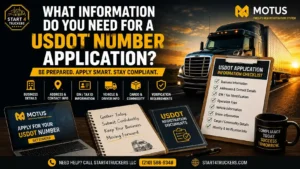
Gather everything on this list before you open the Motus portal. Starting without these in hand is the number one cause of incomplete applications and processing delays.
- A registered LLC or business entity with your state Secretary of State
- Your Tax id (Employer Identification Number) from the IRS — if you need one, Start 4 Truckers handles Tax id registration as part of the full startup package
- An active USDOT number registered under your business name
- A Login.gov account using the same email tied to your FMCSA Portal
- A government-issued photo ID (driver’s license, passport, or state ID) for identity verification
- Your physical business address – P.O. boxes are not accepted
- Your insurance provider’s contact information and policy details
- A BOC-3 process agent service ready to file – this must happen immediately after approval
If you do not have your USDOT number yet, that step comes before the MC authority application. Start 4 Truckers files your USDOT registration and MC authority together so nothing falls out of sequence.
How Do You Apply for MC Authority Through Motus? Step-by-Step
Follow these steps exactly as listed. The sequence matters. Filing out of order or skipping ahead delays your authority activation.
Step 1: Confirm Your Login.gov Account Is Active
Go to login.gov and confirm your account exists and is accessible. You will need an email address to sign in. If you used the legacy FMCSA Portal, use the same email. Login.gov requires two-factor authentication to protect your account.
If you do not have a Login.gov account, create one at login.gov now before you touch the Motus portal. Use the exact same email address that is associated with your FMCSA Portal account. A mismatch here locks you out of the Motus account claim process.
Step 2: Log Into Motus at motus.dot.gov
Go to motus.dot.gov, the official FMCSA Motus portal. Select the Login.gov option and sign in with your credentials. First-time users will be prompted to create a user profile and link their existing USDOT number or apply for a new one.
Step 3: Complete Identity Verification
This is the IDEMIA step. Motus will prompt you to verify your identity using a government-issued ID. You will need a smartphone, tablet, or computer with a webcam to complete identity verification. Have a valid government-issued identity card, driver’s license, passport, or resident card on hand.
The system scans your document and matches it to a live facial scan. Use good lighting, hold your ID flat against a solid background, and make sure the name on your ID exactly matches your business registration documents. A name mismatch is the most common reason this step fails. If verification fails, call the FMCSA Contact Center at 1-800-832-5660 for manual review.
Step 4: Claim Your Existing USDOT Number
If you already have a USDOT number, select the option to claim it inside your Motus dashboard. This links your existing carrier record to your new Motus account. Confirm that your business name, physical address, and operating classification all match your current MCS-150 data exactly. Discrepancies trigger a manual review that adds days to your processing timeline.
Step 5: Apply for Operating Authority (MC Number)
From your Motus dashboard, select the option to apply for operating authority. Choose the correct authority type for your operation. Most for-hire property carriers select Property (Motor Carrier of Property). If you haul passengers or operate as a broker, the authority type is different. Select the wrong one and your application will need to be corrected before it is processed.
Enter your operation details accurately including your operating type (for-hire, private, or both), cargo type, vehicle count, and whether you operate interstate or intrastate. If you are unsure whether you need interstate or intrastate authority, read our interstate vs intrastate trucking authority guide before selecting.
Step 6: Pay the $300 FMCSA Filing Fee
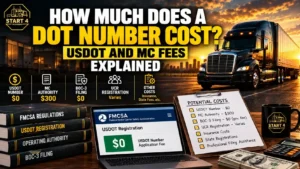
The MC authority application requires a $300 government filing fee paid through Pay.gov, which is integrated directly into the Motus dashboard. This fee is non-refundable. Confirm all your application details are correct before submitting payment.
Step 7: Wait Out the 10-Day Protest Period
After your application is submitted and your fee is paid, the FMCSA publishes your authority application and opens a mandatory 10-day protest window. Existing carriers can object to your application during this period. In practice, protests are rare for standard property carrier applications. Your authority will not activate until this window closes.
This is the period where many new carriers make costly mistakes. They assume approval is automatic and do nothing while they wait. Use these 10 days to get your BOC-3 filed and your insurance certificates submitted, because both must be on file before authority activates.
Don’t want to navigate Motus alone? Start 4 Truckers handles your MC authority application, BOC-3 filing, and every compliance step that follows. Call (210) 588-9348 or get your MC authority filed today.
Step 8: File Your BOC-3 Process Agent Designation
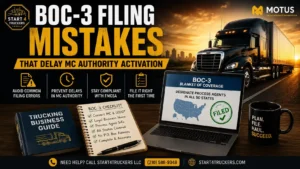
A BOC-3 designates a legal process agent in every state where you operate. Supporting companies must continue to make BOC-3 filings in the FMCSA’s current system until Motus is open for all users. Your BOC-3 must be on file before your MC authority can activate. Without it, your authority sits in a permanent pending state regardless of how complete the rest of your application is.
Start 4 Truckers files your BOC-3 the same day you request it. Read the full explanation of what this filing requires in our BOC-3 filing guide, or go directly to our BOC-3 filing service to get it submitted immediately.
Step 9: Submit Your Insurance Filings
Your insurance provider must file your liability insurance certificate, Form BMC-91 or BMC-91X, directly with the FMCSA. You do not upload it yourself. You contact your commercial trucking insurance carrier and confirm they have submitted the filing under your exact legal business name and USDOT number.
The minimum liability insurance requirement for most for-hire property carriers is $750,000. Carriers transporting hazardous materials have higher minimums. Your authority will not activate until the FMCSA confirms your insurance filing is on record.
Insurance filing delays are the single most common reason MC authority sits inactive longer than it should. Confirm with your insurer that the BMC-91 has been submitted as soon as you receive your application confirmation.
Step 10: Confirm Authority Is Active in SAFER
Once the 10-day protest period closes and your BOC-3 and insurance filings are confirmed, the FMCSA activates your MC authority. Verify the status at safer.fmcsa.dot.gov by searching your MC number or USDOT number. Your operating status should show “Authorized for Property”. That status means you are legally cleared to haul freight for hire.
Do not take a load until you have confirmed that status with your own eyes in SAFER. A pending or inactive status means something in the filing sequence is incomplete.
How Long Does MC Authority Take to Activate Through Motus?
The total timeline from submitting your Motus application to active authority is typically 25 to 35 days. Here is where each day goes:
| Stage | Estimated Time |
| Identity verification and account setup | Same day |
| Application review by FMCSA | 3 to 7 business days |
| 10-day protest period | 10 calendar days |
| BOC-3 filing confirmation | Same day with a service |
| Insurance filing confirmation | 1 to 5 business days |
| Authority activation after all filings confirmed | 1 to 2 business days |
Incomplete applications, name mismatches, or insurance delays add time to every stage. Carriers who prepare all documents before starting the application and file BOC-3 and insurance immediately after submission consistently activate faster than those who handle each step reactively.
What Are the Most Common Mistakes When Applying for MC Authority Through Motus?
Using a different email for Login.gov than your FMCSA Portal.
This is the most common access issue in Motus right now. The system requires an exact email match. If you are locked out, log into the old FMCSA Portal first, confirm the email on file, and use that exact address for Login.gov.
Entering your business name differently across documents.
Your LLC name on your state filing, your Tax id, your USDOT registration, and your Motus application must all match exactly, character by character. An abbreviation like “LLC” written as “L.L.C.” in one place can trigger a manual review delay.
Waiting on BOC-3 and insurance until after the protest period ends.
The 10-day window is the right time to file both. Carriers who wait until after the protest period ends add another week or two to their activation timeline for no reason.
Selecting the wrong authority type.
Property, passenger, household goods, and broker authorities are all different applications. Selecting the wrong one does not get rejected immediately. It gets approved and then creates compliance problems when your actual operation does not match your registered authority type. If you haul general freight as an owner operator, you need a Motor Carrier of Property authority.
Applying before your LLC and USDOT are in place.
MC authority must be filed under a registered business entity with an active USDOT number. Applying before those steps are complete results in rejection or significant delays. Read the full how to start a trucking company guide to make sure you are following the correct sequence from day one.
What Comes After Your MC Authority Is Active?
Active MC authority is the milestone every new owner operator works toward, but it is the beginning of your compliance obligations, not the end.
Your UCR registration must be completed and renewed annually. UCR fees are based on your fleet size and missing the annual deadline can suspend your operating authority.
Your IFTA fuel tax account must be set up if you operate across state lines. Every gallon purchased and every interstate mile driven needs to be tracked and reported quarterly. IFTA quarterly filings are due four times per year at April 30, July 31, October 31, and January 31.
Your MCS-150 biennial update is due every two years on the anniversary month of your USDOT registration. In Motus, this is handled directly inside your dashboard. Missing it risks deactivation of your USDOT number.
Your enrollment in a DOT drug and alcohol consortium must be active and maintained. The FMCSA requires every owner operator with a CDL holding MC authority to be enrolled in a random testing pool continuously.
Start 4 Truckers manages all of these ongoing compliance filings for carriers who want their authority protected and their deadlines tracked. See the full list of what we handle on our trucking compliance support page.
Your MC authority application, BOC-3, insurance coordination, and every compliance filing that follows: Start 4 Truckers handles it all. Call (210) 588-9348 or visit start4truckers.com to get started today.
Frequently Asked Questions About Applying for MC Authority Through Motus
1. Do I need a USDOT number before applying for MC authority in Motus?
Yes. Your USDOT number must be active before you apply for MC authority. Motus links your MC authority application to your existing USDOT carrier record. If you do not have a USDOT number yet, Start 4 Truckers files both your USDOT registration and MC authority application together so neither step delays the other.
2. How much does it cost to apply for MC authority through Motus?
The FMCSA filing fee for MC authority is $300, paid through Pay.gov inside the Motus portal. This fee is non-refundable. Additional costs include your BOC-3 filing ($20 to $50 through a process agent service) and your commercial trucking insurance premiums, which vary based on your operation type, cargo, and driving history.
3. What is the difference between a USDOT number and an MC number?
Your USDOT number is your federal safety identification number assigned to all commercial carriers. Your MC number is your operating authority, the specific permission to haul freight for hire across state lines. Most for-hire interstate carriers need both. Private carriers who haul their own goods may only need a USDOT number. The full breakdown is in our DOT number vs MC number guide.
4. Can a compliance service apply for my MC authority in Motus?
A compliance service like Start 4 Truckers can prepare your application, file your BOC-3, coordinate your insurance submission, and manage every compliance step surrounding your authority. However, the identity verification step inside Motus must be completed personally by the Company Official, the business owner or an authorized direct employee. This is a Motus security requirement that cannot be delegated.
5. What happens if my MC authority shows pending after 35 days?
A pending status after 35 days almost always means one of three things: your BOC-3 is not on file, your insurance certificate has not been submitted or confirmed by the FMCSA, or there is a name mismatch between your application and your supporting documents. Check all three before contacting FMCSA. Start 4 Truckers identifies and corrects the specific cause for carriers whose authority is stuck in pending status. Call (210) 588-9348 and we will pull your record and tell you exactly what is missing.
6. Do I need MC authority if I only haul intrastate?
If you operate exclusively within one state and never cross a state line, you may not need federal MC authority. Intrastate carriers are primarily regulated by state-level rules rather than the FMCSA. However, even intrastate carriers often need a USDOT number depending on the state and vehicle weight. Read our interstate vs intrastate trucking authority guide to confirm what applies to your specific operation.
7. What is a BOC-3 and why does it block MC authority activation?
A BOC-3 designates a legal process agent in every state where you operate, giving courts a point of contact to serve legal documents related to your business. The FMCSA will not activate your MC authority until a valid BOC-3 is on file. It is not optional and it cannot be filed after activation. It must be on file first. Read the complete explanation in our BOC-3 filing guide or let Start 4 Truckers file it for you through our BOC-3 filing service.
8. Can I renew my MC authority through Motus if it lapses?
Yes. If your MC authority lapsed due to an insurance gap, missed UCR renewal, or other compliance issue, the reinstatement process runs through Motus. The steps depend on the specific reason for the lapse. Read our MC authority renewal guide for a full breakdown of what reinstatement requires, or contact Start 4 Truckers to identify the exact cause and file the correction.