You log into the new FMCSA Motus system, and your USDOT number is nowhere to be found. Or you need to verify another carrier’s record, and you are not sure whether to use Motus or SAFER. Or your authority shows a status you do not recognise, and you need to trace it back to your career record fast.
This is the guide for all three situations. In 2026, the FMCSA’s Motus system will be the official registration management platform for every commercial carrier in the United States. Knowing how to look up a USDOT number through Motus, what you can see inside that record, and what to do when something does not match is a skill every owner operator needs right now.
What Is Motus, and Why Does USDOT Lookup Work Differently Now?
Before Motus, carriers looked up USDOT records through the FMCSA SAFER system and managed their registrations through separate legacy portals. Those two functions are now split between two systems with distinct purposes, and confusing them is one of the most common mistakes carriers make in 2026.
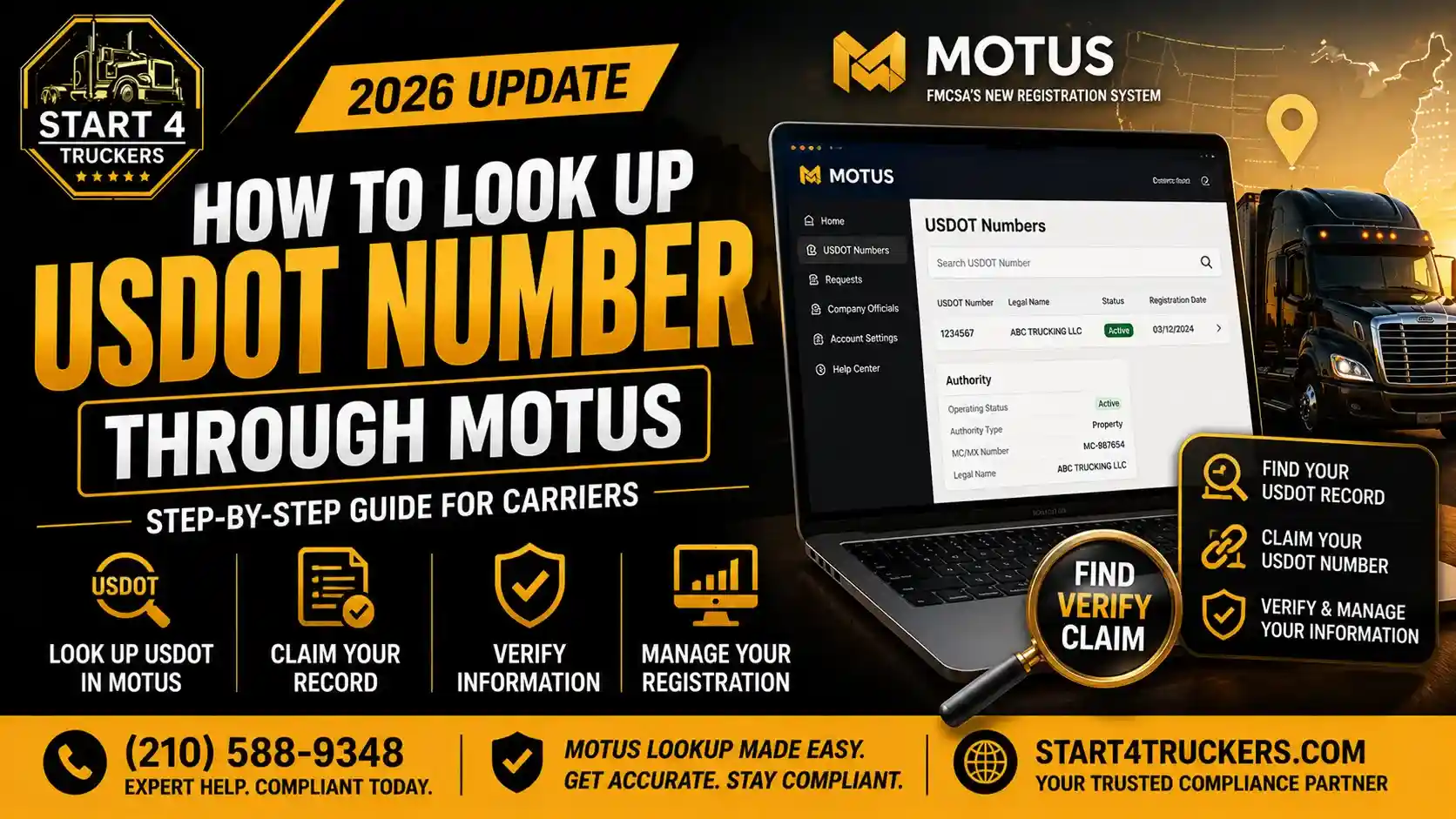
Motus is the FMCSA’s modernised motor carrier registration system that serves as your home base to apply for and manage registrations, view and update information, and control authorised access to your company account. It is where you manage your own carrier record, claim your USDOT number, update your business information, and handle every registration action tied to your account.
The FMCSA SAFER system at safer.fmcsa.dot.gov remains the public-facing lookup tool for verifying any carrier’s status, safety rating, and insurance. It is still free, still requires no account, and is still what freight brokers and shippers use to check your record before giving you a load.
Understanding which system does what prevents you from wasting time looking for public carrier data inside a portal that requires login credentials or trying to edit your own record in a read-only system.
What Is the Difference Between Looking Up a USDOT Number in Motus vs SAFER?
Task | Use Motus | Use SAFER |
View and manage your own carrier record | Yes | No |
Claim your existing USDOT number | Yes | No |
Update business address or company info | Yes | No |
Verify another carrier’s authority status | No | Yes |
Check a broker’s MC authority | No | Yes |
View your safety rating and inspection history | No | Yes |
File MCS-150 biennial update | Yes | No |
Search for any carrier by company name | No | Yes |
If you need to verify another carrier or broker before taking a load, SAFER is the right tool. If you need to manage, claim, or update your own USDOT registration record, Motus is where you go. Our USDOT number lookup guide covers the full SAFER search process in detail for carrier verification.
How Do You Look Up Your Own USDOT Number Through Motus?
If you already have a USDOT number and need to access it inside Motus, the process is called claiming your record. If you already have a USDOT number, the company official can quickly set up a new Motus company account by linking to and claiming your existing record. This imports your company data automatically, allows you to verify your business information, and saves you from entering everything manually.
Here is the exact step-by-step process.
Step 1: Confirm Your Login.gov Account Uses the Right Email
The Company Official must use the same Login.gov email to log into the FMCSA Portal that they will use to access Motus. Before you touch the Motus portal, log into the old FMCSA Portal at portal.fmcsa.dot.gov and confirm the email address listed on your Company Official profile. Write it down. That exact email must be your Login.gov email.
If they do not match, update your FMCSA Portal email first. A mismatch is the number one reason carriers cannot find or claim their USDOT number when they log into Motus.
Step 2: Log in to Motus at motus.dot.gov
Go to motus.dot.gov and select the Login.gov sign-in option. Enter your credentials. If this is your first time logging into Motus, the system will prompt you to create a user profile before you can access any carrier records.
Step 3: Complete Identity Verification
First-time Motus users must complete identity verification through IDEMIA before accessing any registration data. Have a government-issued photo ID ready — a driver’s license, passport, or state ID. The system scans your document and matches it to a live facial scan using your device camera.
The name on your ID must match your business registration documents exactly. Lighting conditions matter. A well-lit, flat surface produces the cleanest scan result. If verification fails, call the FMCSA Contact Centre at 1-800-832-5660 for manual review assistance.
Step 4: Initiate the USDOT Number Claim
After logging in and setting up your user profile, a pop-up will appear notifying you that one or more USDOT numbers are associated with your Login.gov account. Select “Link USDOT Number” to claim the record.
If the pop-up does not appear, it means either your Login.gov email does not match the FMCSA Portal email for your account, or your FMCSA Portal account has been disabled due to inactivity. FMCSA Portal accounts are disabled after 90 days and archived after 12 months of inactivity. If your account is disabled or archived, reach out to the FMCSA Contact Centre to have your account unlocked.
Step 5: Select Your USDOT Number
Review the list of USDOT numbers associated with your profile, select the specific USDOT number you intend to claim, and click Continue. If you operate multiple USDOT numbers, they will all appear here. Select the correct one carefully. Each number must be claimed separately.
Step 6: Enter the Verification Code
Check the email you used to access Login.gov for a verification code. Enter the code into the Verify Your Identity window and click Submit. This code expires after a short window, so check your inbox immediately after this step. If the code does not arrive, check your spam folder before requesting a new one.
Step 7: Accept the Certification Statement
Read the Certification Statement and verify that you are the owner, an official partner, or an authorised corporate officer. Enter your name as an e-signature and click Accept.
This is a legally binding certification. You are confirming that you are an authorised representative of the business entity tied to that USDOT number. Only the Company Official or an authorised officer can complete this step. A compliance service cannot certify on your behalf.
Step 8: Review Your Carrier Record
Once your USDOT number is claimed, your full carrier record populates inside your Motus dashboard. Verify that every field matches your current business information, including your legal business name, physical address, mailing address, operation classification, cargo type, and vehicle count.
Motus allows you to manage business information and users, track the status of your registration actions, and perform other authorised actions on behalf of registrants.
If any information is outdated or incorrect, update it now. Your Motus record is what the FMCSA and law enforcement reference during audits and roadside inspections. Inaccurate data in your carrier record creates compliance exposure that follows your operation.
Need help claiming your USDOT number in Motus or fixing a compliance issue in your carrier record? Start4truckers handles the full process for owner operators across the USA. Call (210) 588-9348 or get your USDOT registration sorted today.
What Information Can You See When You Look Up a USDOT Number in Motus?
Once your record is claimed and your dashboard is active, here is what your Motus carrier record contains and what each field means.
Legal Business Name: Your registered business name exactly as it appears on your state LLC or incorporation documents. This must match every other FMCSA filing you have on record, including your insurance certificates and BOC-3 designation.
USDOT Number: Your unique federal carrier identifier. This number is permanent and cannot be transferred, sold, or leased to another operator. Under the Motus system, the USDOT number is the only federal identifier, and the authority type is reflected through a suffix system in the agency’s internal records.
Operating Authority Status: Whether your MC authority is active, inactive, pending, or revoked. If you applied for MC authority through Motus and it shows pending here, it means your BOC-3 or insurance filings are not yet confirmed.
Operation Classification: For-hire, private, or both. This must accurately reflect how you actually operate. A mismatch between your classification and your actual operation creates a compliance problem during a new entrant safety audit.
Cargo Type: The commodity categories you are authorised to transport. Operating outside your registered cargo type without updating this field can affect your insurance coverage and create liability exposure during a cargo claim.
Vehicle Count: The number of commercial motor vehicles operating under your USDOT number. This number directly affects your UCR registration fee each year. An understated vehicle count means you are underpaying UCR, which is an FMCSA compliance violation.
Contact and Address Information: Your physical business address, mailing address, and contact details. These are what the FMCSA uses for official correspondence, including audit notices, violation letters, and authority renewal reminders.
MCS-150 Status: The date of your last biennial update and when the next one is due. Missing your MCS-150 biennial update deadline in Motus can trigger an inactive status on your USDOT number even if your authority and insurance are otherwise current. Start4truckers handles the MCS-150 biennial update filing before the deadline, so your record never lapses.
What Do You Do If Your USDOT Number Does Not Appear in Motus?
This is a common problem, and it always has a specific cause. Work through these in order before contacting FMCSA.
Your Login.gov email does not match your FMCSA Portal email. This is the cause in the majority of cases. Log in to portal.fmcsa.dot.gov and check the email on your Company Official profile. If it is different from your Login.gov email, that is your problem. Update the Portal email to match Login.gov, then try the Motus claim again.
Your FMCSA Portal account is disabled or archived. Portal accounts are disabled after 90 days of inactivity and archived after 12 months. If you have not logged into your FMCSA Portal in over three months, your account may need to be reactivated before you can link it to Motus. Contact the FMCSA Contact Centre at 1-800-832-5660 or submit a help request at fmcsa.dot.gov/registration/ask-fmcsa.
You are not listed as the Company Official. You must use the same Login.gov email as the Company Official to claim the USDOT number in Motus for the first time. If a former employee, a previous compliance service, or an outdated contact is listed as a Company Official in your FMCSA Portal, you cannot claim the record until that role is reassigned to you. This requires a Portal update before Motus access is possible.
Your USDOT number is inactive or deactivated. An inactive USDOT number will still appear in Motus after claiming, but it will show an inactive status. Common causes include a missed MCS-150 biennial update, a lapsed insurance filing, or a failed UCR renewal. Start4truckers identifies the exact cause and files the correction. Call (210) 588-9348, and we will pull your record and tell you specifically what needs to be fixed.
How Do You Search for Another Carrier’s USDOT Number?
Motus allows users to search for an entity’s registration record in Motus and view the FMCSA Register for daily decisions and notices. However, for most owner operators verifying a broker or carrier before a load, the FMCSA SAFER system at safer.fmcsa.dot.gov remains the fastest and simplest tool for public carrier lookups.
SAFER gives you the carrier’s operating status, safety rating, insurance on file, and inspection history without requiring a login or account. If you need to verify that a broker has active authority before hauling their freight, SAFER is where that check happens. Our full USDOT number lookup guide walks through that process step by step.
If you need to verify another carrier’s record inside Motus specifically, log into your Motus account at motus.dot.gov and use the entity search function from your dashboard. You will need a Motus account to access this feature.
What Should You Check in Your Motus Carrier Record Right Now?
Every owner-operator with an active USDOT number should log into Motus and verify these five things before their next load.
Your business name in Motus matches your LLC documents, your insurance certificates, and your BOC-3 filing exactly. A single character difference across these documents can create a compliance flag during an audit or a cargo claim dispute.
Your operating authority status shows active and not pending or inactive. If it shows anything other than active, something in your filing sequence is incomplete. The most likely causes are a BOC-3 gap, an insurance lapse, or a missed UCR renewal. Start4truckers manages UCR registration and all ongoing compliance filings for carriers who want their authority protected year-round.
Your vehicle count matches your actual fleet. An inaccurate count affects your UCR fee calculation and creates a data mismatch that can be flagged during a compliance review.
Your MCS-150 biennial update date shows a filing within the last two years. If it is past due or approaching the deadline, file it now through your Motus dashboard or through Start4truckers’ MCS-150 filing service.
Your IFTA account status is active if you operate across state lines. IFTA is managed separately from Motus through your base state’s IFTA office, but your quarterly filing compliance directly affects your standing during FMCSA audits. Start4truckers handles IFTA registration and IFTA quarterly filing, so nothing falls behind.
Is your Motus carrier record accurate and your authority fully active? Start4truckers reviews your full FMCSA record, fixes compliance gaps, and manages every ongoing filing deadline for owner operators across the USA. Call (210) 588-9348 or visit start4truckers.com to get started today.
Frequently Asked Questions
1. Is Motus replacing the FMCSA SAFER system?
No. Motus and SAFER serve different purposes and both remain active. Motus is the registration management system where carriers manage their own records, claim USDOT numbers, file biennial updates, and apply for authority. SAFER is the public lookup tool where anyone can search any carrier’s operating status, safety rating, and insurance without a login. They work alongside each other, not as replacements.
2. Can anyone look up a USDOT number in Motus or do you need an account?
Motus allows users to search for an entity’s registration record in Motus. However, this requires a Motus account and Login.gov credentials. For public carrier lookups without an account, safer.fmcsa.dot.gov remains the correct tool. It is free, requires no login, and is updated directly from FMCSA data.
3. What happens if my USDOT number is inactive in Motus?
An inactive USDOT number means your authority is not currently valid, and you cannot legally haul freight for hire. Common causes are a missed MCS-150 biennial update, a lapsed insurance filing, or an unpaid UCR registration. Log into Motus and check your registration status to identify the specific cause. Start4truckers identifies the exact issue and files the correction. See our USDOT registration service for full reactivation support.
4. Can my compliance service claim my USDOT number in Motus for me?
No. Only the Company Official using the same Login.gov email as the FMCSA Portal account can claim the USDOT number in Motus for the first time. The identity verification and certification steps require the business owner or authorised corporate officer to be present personally. A compliance service like Start4truckers can handle every other filing and compliance step surrounding your record, but the initial Motus claim must be done by you. Americantruckersllc
5. What if I have multiple USDOT numbers – can I see all of them in Motus?
Yes. If you operate multiple registered entities, each with its own USDOT number, they will all appear in the claim process after login. You select and claim each number separately. Each number has its own carrier record, its own compliance obligations, and its own filing deadlines that need to be managed independently.
6. How do I update my business information after finding my USDOT number in Motus?
Once your USDOT number is claimed and your Motus dashboard is active, select your carrier record and navigate to the business information section. Updates to your address, contact details, vehicle count, and operation classification are made directly inside Motus. Changes to your legal business name may require supporting documentation. After updating, recertify your record to confirm the changes with the FMCSA.
7. Does looking up my USDOT number in Motus replace the MCS-150 biennial update?
No. Claiming your USDOT number in Motus and completing a biennial update are two separate actions. Claiming your number links your existing record to your Motus account. The MCS-150 biennial update is a regulatory requirement due every two years that confirms your carrier information is current. Both must be completed. Start4truckers files your MCS-150 biennial update on time so your USDOT number stays active.
8. What is the USDOT Wizard in Motus, and when should I use it?
The USDOT Wizard is a tool inside Motus where you can answer a short set of targeted questions to find out if you only need a USDOT number or need both a USDOT number and operating authority. New carriers who are not sure whether their operation requires MC authority should run through the USDOT Wizard before starting their application. It takes less than five minutes and tells you exactly what to apply for. Read the full breakdown in our DOT number vs MC number guide if you want to understand the difference before using the Wizard.
9. I just started my trucking company – how do I get a USDOT number through Motus?
If you are a new carrier without an existing USDOT number, you do not claim a record. You apply for a new one. New registrations in Motus follow a similar flow to the USDOT Wizard, so you will know what to expect once you get started with registration. Before you apply, make sure your LLC is formed, your Tax id is in hand, and your business address is confirmed. Start4truckers handles USDOT registration for new carriers and manages the entire compliance sequence from LLC formation through active MC authority. Read the full how to start a Trucking Company guide to understand every step before you begin.
10. How do I find my USDOT PIN if I need to access my FMCSA Portal before claiming in Motus?
You can obtain your USDOT PIN at safer.fmcsa.dot.gov. Go to the SAFER system, search for your carrier record by company name or USDOT number, and follow the PIN retrieval process. You will need your USDOT PIN to access the FMCSA Portal if you have not logged in recently or if your account needs to be reactivated before the Motus claim process.