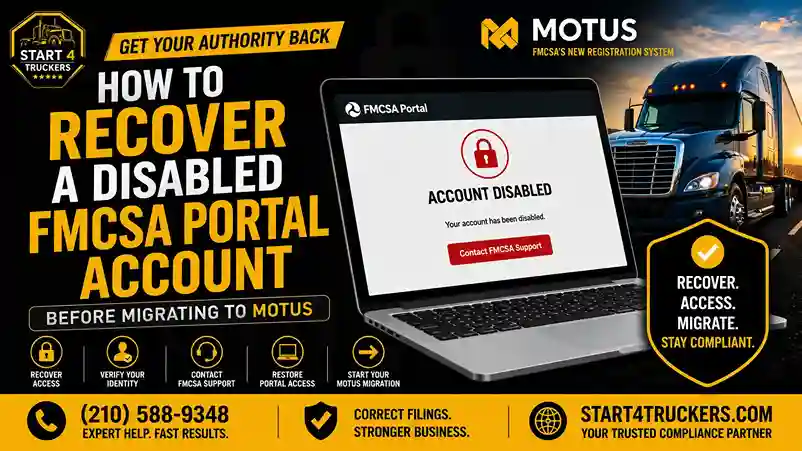
You are ready to migrate to MOTUS. You go to log into the FMCSA portal. And you hit a wall.
Your account is disabled. Locked. Inaccessible.
Now you cannot manage your registration, you cannot complete your migration, and your operating authority is sitting there with no one at the wheel.
This is happening to more carriers than you might think. A disabled FMCSA portal account is one of the most frustrating obstacles in the path to completing the URS to MOTUS transition, and most carriers have no idea what caused it or what to do next.
This guide explains exactly why FMCSA portal accounts get disabled, how to recover yours, and what steps you need to take to get your migration completed without losing your compliance standing in the process.
Recover a Disabled FMCSA Portal Account: Quick Answer
A disabled FMCSA portal account is typically caused by extended inactivity, failed login attempts, outdated credentials, system changes during the URS to MOTUS migration, or a security flag triggered by the FMCSA’s identity systems. To recover the account, you need to contact the FMCSA directly through their support channels, verify your identity, and have your account restored or reset before attempting to access the MOTUS platform. In many cases, Login.gov setup is the correct pathway forward rather than restoring the old portal account.
What Is a Disabled FMCSA Portal Account?
Understanding the FMCSA Portal
The old FMCSA portal tied to the Unified Registration System (URS) was the legacy online system where carriers managed their USDOT number, MCS-150 filings, operating authority, and related compliance tasks.
During the transition to MOTUS, carriers needed to access this old portal one last time to confirm their records and initiate the migration. For many carriers, that access is now blocked.
A disabled portal account means you cannot log into this system. You cannot view your records, update your information, or complete pending filings through the legacy interface.
How Is This Different From a MOTUS Login Issue?
This is an important distinction. A disabled FMCSA portal account refers to problems with the old URS-era login system. MOTUS uses a completely different authentication method, Login.gov, and is a separate platform.
In many cases, the correct solution is not to restore the old portal access at all. The correct solution is to set up your Login.gov account and complete the MOTUS migration directly, using FMCSA support to link your existing records.
Understanding which problem you actually have determines which fix applies to you.
For a full overview of how the new platform works, read our guide on the Motus FMCSA registration system.
Why FMCSA Portal Accounts Get Disabled
Extended Account Inactivity
The FMCSA portal, like many federal systems, automatically disables accounts that have not been accessed for an extended period. If you have not logged in for a year or more, your account may have been flagged as inactive and disabled.
This is especially common among carriers who filed their MCS-150 updates and then did not need to access the system again until the MOTUS migration requirement came up.
Failed Login Attempts
Too many failed login attempts wrong password, outdated username, or incorrect security answers can trigger an automatic account lockout. This security measure protects your account from unauthorized access, but it also locks out legitimate users who cannot remember their old credentials.
Outdated Username or Email Address
If the email address tied to your FMCSA portal account is no longer active, perhaps a business email that was discontinued, password reset requests go nowhere, and the account becomes effectively inaccessible.
System Changes During the URS to MOTUS Transition
The FMCSA’s ongoing migration from URS to MOTUS has involved significant backend system changes. Some carriers have reported that their old portal access became inaccessible during this transition period, not because of anything they did, but because the legacy system is being wound down.
This is increasingly common as the FMCSA moves more carriers into MOTUS and phases out URS infrastructure.
Security Flags and Identity Issues
The FMCSA’s systems include security monitoring that can flag accounts for unusual activity, mismatched information, or identity verification concerns. A flagged account may be disabled until the issue is resolved through FMCSA support.
Prior Enforcement Actions
In some cases, accounts are disabled as part of an enforcement action against a carrier. If this is the reason for your disabled account, recovery requires addressing the underlying enforcement issue first.
Does Recovering Your Old FMCSA Portal Account Still Matter?
This is a critical question that most guides skip entirely.
The Old Portal Is Being Phased Out
The legacy FMCSA portal tied to URS is being decommissioned as MOTUS becomes the primary platform for all carrier registration and compliance management. Restoring access to the old portal may be a temporary fix at best.
MOTUS Uses Login.gov, Not the Old Portal Credentials
MOTUS does not use the same username and password as the old FMCSA portal. It uses Login.gov as its authentication system. This means even if your old portal account is fully restored, you still need to create a separate Login.gov account and complete identity verification to access MOTUS.
Read our complete guide on Login.gov and MOTUS account setup for truckers to understand how this works before taking any steps.
When Old Portal Recovery Is Still Needed
There are situations where recovering your old portal access is still valuable:
- You need to retrieve historical filing records before migrating
- You have pending filings in the old system that need to be completed or transferred
- You need to confirm your exact legal business name and USDOT number details before setting up Login.gov
- The FMCSA requires you to confirm or update information through the legacy system before migration can proceed
In these cases, recovering your old portal account is a necessary first step before completing your MOTUS migration.
Step-by-Step: How to Recover a Disabled FMCSA Portal Account
Step 1: Confirm the Account Is Truly Disabled
Before calling the FMCSA, confirm that your account is actually disabled and not just inaccessible due to a forgotten password.
Try the following:
- Go to the FMCSA portal login page and attempt to log in
- If you see a message saying your account is disabled, locked, or inactive — that is a disabled account
- If you simply cannot remember your password, try the password reset function first
If password reset emails are going to an address you no longer have access to, you will need to contact the FMCSA to update your email before proceeding.
Step 2: Gather Your Carrier Information Before Contacting FMCSA
Before you call or email FMCSA support, have this information ready. It speeds up verification and reduces back-and-forth:
- Your USDOT number
- Your legal business name exactly as registered with the FMCSA
- Your Tax id
- Your business address on file with the FMCSA
- The email address originally tied to the portal account (if you know it)
- Your personal identity information as the designated carrier contact
If you are unsure of your exact USDOT number, use the FMCSA’s public carrier lookup tools. Our guide on how to look up a USDOT number through MOTUS walks through this step.
Step 3: Contact FMCSA Support Directly
The FMCSA Contact Center handles account recovery requests. Contact them through the following:
- Phone: Call the FMCSA Contact Center at 1-800-832-5660
- Online: Submit a support request through the official FMCSA website
- Email: Use the contact form available through the FMCSA’s online support portal
Expert Tip: Be prepared for wait times. The FMCSA contact center is currently experiencing high volume due to the MOTUS migration. Have all your carrier information ready before you call so you can provide it immediately when connected.
Step 4: Verify Your Identity to FMCSA Support
The FMCSA will verify your identity before restoring or resetting any account. Be ready to confirm:
- Your USDOT number
- Your legal business name
- Your Tax id or business registration details
- Personal identity details of the account holder
This verification process protects your account from unauthorized access. It may take more than one contact attempt to complete, depending on wait times and the complexity of your situation.
Step 5: Request Account Recovery or Email Update
Once you are connected with FMCSA support, specifically request:
- Account reactivation if it was disabled due to inactivity or failed login attempts
- Email address update if your original email is no longer accessible
- Account reset if the original credentials are permanently lost
The support team will guide you through their specific recovery process for your situation.
Step 6: Retrieve Any Records You Need From the Old System
Once your old portal access is restored,d if that is still needed, log in and retrieve any records or information you need:
- Your exact legal business name spelling
- Your USDOT number and MC number
- Historical MCS-150 filing records
- Any pending applications or filings
Keep this information on hand before you proceed to MOTUS setup.
Step 7: Set Up Your Login.gov Account and Complete MOTUS Migration
After retrieving what you need from the old system, your next priority is completing your MOTUS migration. This involves:
- Creating a Login.gov account with your personal email
- Completing identity verification through Login.gov
- Logging into MOTUS and claiming your existing USDOT number
- Reviewing and confirming your carrier profile
- Verifying that your insurance and BOC-3 filings are current
For the complete MOTUS migration walkthrough, read our guide on the FMCSA compliance transition from URS to MOTUS.
Locked out of your FMCSA account and need help recovering it before your authority is affected? Call Start4Truckers LLC at (210) 588-9348; we guide you through account recovery, MOTUS migration setup, and compliance restoration.
What If Your USDOT Number Was Deactivated During the Lockout?
A disabled portal account often means you could not file your MCS-150 biennial update on time. A missed MCS-150 update deactivates your USDOT number,r which then affects your operating authority.
How to Check Your USDOT Status
Use the FMCSA’s public carrier lookup tools to check your current USDOT status before completing your MOTUS setup. Knowing whether your number is active or deactivated tells you exactly which additional steps you need.
If Your USDOT Number Is Deactivated
Complete your Login.gov setup and MOTUS migration first. Once you have claimed your USDOT number in MOTUS, file an updated MCS-150 immediately. The FMCSA processes this filing and restores your number to active status.
For the full reactivation process, read our complete guide on how to reactivate a deactivated USDOT number in MOTUS.
If Your Authority Is Also Affected
A deactivated USDOT number affects your operating authority status in MOTUS. After reactivating your USDOT number through the MCS-150 filing, confirm your insurance and BOC-3 filings are both current and linked in your MOTUS profile.
For a full explanation of how authority status works in MOTUS and what each status means, read our guide on operating authority status in MOTUS.
What If You Cannot Recover the Old Account at All?
In some cases, old FMCSA portal accounts cannot be recovered, particularly when the original email is permanently inaccessible, the account was tied to a former employee, or the legacy system has already been fully decommissioned for that account type.
Go Directly to MOTUS
If your old portal access cannot be recovered, go directly to the MOTUS pathway:
- Create your Login.gov account
- Complete identity verification
- Log into MOTUS and attempt to claim your USDOT number directly
In most cases, MOTUS can locate your existing USDOT number through the identity verification process even without restoring old portal access. The FMCSA support team can assist if the system cannot automatically match your verified identity to your carrier records.
Contact FMCSA for Manual Record Linking
If MOTUS cannot automatically locate your USDOT number after identity verification, contact the FMCSA directly and request manual assistance linking your verified Login.gov identity to your existing carrier records.
This is more common than many carriers realize and FMCSA support can handle it directly.
Common Mistakes During FMCSA Portal Account Recovery
Mistake 1: Trying to Create a New FMCSA Account Instead of Recovering the Old One
Creating a new carrier registration when your existing one is simply locked is a serious mistake. You would end up with duplicate registrations, potential fraud flags, and a recovery process far more complicated than the original lockout.
Always attempt to recover the existing account before creating anything new.
Mistake 2: Contacting the Wrong Support Channel
The FMCSA has multiple support channels for different issues. Account recovery for the old portal and MOTUS migration support may route to different teams. When you contact the FMCSA, be specific: tell them you have a disabled legacy portal account and need assistance with account recovery before completing your MOTUS migration.
Mistake 3: Not Gathering Your Carrier Information First
Calling FMCSA without your USDOT number, legal business name, and Tax id ready results in longer calls and potential delays in verification. Prepare everything before contacting support.
Mistake 4: Assuming Old Portal Recovery Is the Same as MOTUS Access
Even after recovering your old portal account, you still need to set up Login.gov and complete your MOTUS migration separately. These are two different systems with two different authentication methods. Recovering one does not give you access to the other.
Mistake 5: Waiting Too Long to Start the Recovery Process
Every day your portal account is inaccessible is a day you cannot manage your FMCSA compliance filings. If your MCS-150 deadline is approaching or your insurance is up for renewal, a disabled account could lead to missed filings and authority issues.
Start the recovery process immediately; do not wait.
How Account Recovery Connects to the Broader MOTUS Transition
Your Old Account Is a Bridge, Not the Destination
Think of your old FMCSA portal account as a bridge to MOTUS, not the destination. The goal is to get your records into the new system. The old portal is simply the place those records currently live.
Once your MOTUS migration is complete and your carrier profile is verified through Login.gov, the old portal account becomes irrelevant. All your compliance management moves to your MOTUS dashboard permanently.
Carriers Who Have Already Migrated Successfully
Carriers who completed their MOTUS migration without issues did so by setting up Login.gov, claiming their USDOT number, and verifying their carrier profile in that order. A disabled old portal account did not stop them because they went directly to the MOTUS pathway.
If your old account is unrecoverable, this is your path too.
For context on what happens when carriers do not complete their migration at all, read our guide on what happens if you don’t migrate to MOTUS.
New Carriers Do Not Face This Issue
If you are registering a trucking business for the first time in 2026, you do not have an old portal account to recover. You go directly to MOTUS through Login.gov and start fresh.
For new carriers, read our Motus for new carriers guide for the full first-time registration sequence.
Protecting Your Compliance During Account Recovery
While your portal account is disabled and you are working through recovery, your FMCSA compliance obligations do not pause.
Know Your MCS-150 Deadline
Your MCS-150 biennial update is due every two years from your registration date. If that deadline is approaching or has passed during your account lockout, filing it is urgent.
Once your MOTUS account is set up, file the MCS-150 immediately. Our MCS-150 filing service gets this submitted quickly and correctly.
Learn more about what the MCS-150 requires in our guide on what Form MCS-150 is and when to file it. For step-by-step guidance on the biennial update process in MOTUS, read our MCS-150 biennial update in MOTUS guide.
Monitor Your Insurance and BOC-3
You may not be able to see your insurance and BOC-3 status while your account is locked. Contact your insurance provider and BOC-3 process agent directly to confirm their filings are current and active with the FMCSA.
Do not wait until your MOTUS account is set up to check these; if either has lapsed, your authority may already be affected.
Do Not Operate Under Non-Active Authority
If your authority status has been affected during the lockout period, stop regulated operations until you have confirmed Active status in MOTUS. For a full breakdown of what each authority status means and what to do about it, read our guide on operating authority status in MOTUS.
If your authority needs to be reinstated after your migration is complete, read our guide on how to renew or reinstate MC authority in MOTUS.
Conclusion
A disabled FMCSA portal account feels like a major roadblock. But in most cases, it is a solvable problem either through direct recovery with FMCSA support, or by going directly to the MOTUS pathway through Login.gov without needing the old portal at all.
The key is not to wait. Every day your account is inaccessible is a day your compliance obligations are unmonitored. Contact FMCSA support, prepare your carrier information, and get your migration completed so your operating authority stays protected.
Start4Truckers LLC is ready to help you get through this, from account recovery guidance to full MOTUS migration support.
Locked out and need to get back in before your authority is at risk? Contact Start4Truckers LLC today for expert help with FMCSA account recovery, MOTUS migration, MCS-150 filing, and full compliance restoration. Request your free consultation or call (210) 588-9348 now; let’s get your account back and your business protected.
How Start4Truckers LLC Helps With Account Recovery and MOTUS Migration
Recovering a disabled FMCSA portal account while simultaneously managing your compliance obligations and completing your MOTUS migration is a lot to handle alone.
Start4Truckers LLC helps motor carriers, owner-operators, and freight brokers across the United States navigate every part of this process from account recovery guidance to full MOTUS migration support.
Here is how we help:
- MOTUS account setup guidance, Login.gov setup, and identity verification support
- MCS-150 filing submitted correctly through our MCS-150 filing service as soon as your MOTUS account is active
- USDOT reactivation support through our USDOT registration service
- BOC-3 filing through our BOC-3 filing service to confirm your designation is current
- MC authority restoration through our MC number registration service if your authority needs to be renewed or reinstated
- Ongoing compliance monitoring through our ongoing DOT compliance program to prevent future account and filing issues
We serve carriers in Texas, Florida, California, Georgia, Ohio, Illinois, Pennsylvania, Tennessee, North Carolina, and every other state in the country.
Check our plans and pricing or explore our full trucking compliance services to find the right support for your situation.
Locked out of your FMCSA account and worried about your authority? Visit our trucking company setup services page or call Start4Truckers LLC at (210) 588-9348. We help you recover access, complete your migration, and protect your compliance standing.
Frequently Asked Questions
1. Why is my FMCSA portal account disabled?
The most common causes are extended account inactivity, too many failed login attempts, an outdated email address tied to the account, backend system changes during the URS to MOTUS transition, or a security flag triggered by FMCSA identity monitoring. In some cases, accounts are disabled as part of an enforcement action.
2. How do I recover a disabled FMCSA portal account?
Contact the FMCSA Contact Center directly at 1-800-832-5660 or through the official FMCSA website. Have your USDOT number, legal business name, Tax id, and account email address ready. The FMCSA support team will verify your identity and guide you through account recovery or reset options.
3. Can I complete my MOTUS migration without recovering my old portal account?
In many cases, yes. MOTUS uses Login.gov for authentication, not the old portal credentials. You can create a Login.gov account, complete identity verification, and claim your existing USDOT number in MOTUS without needing access to the old portal. If MOTUS cannot automatically match your records, FMCSA support can assist with manual record linking.
4. How long does FMCSA account recovery take?
Recovery time depends on the cause of the disabled account and FMCSA support wait times. Simple cases like inactivity lockouts may be resolved in one call. Complex cases involving email changes, identity issues, or enforcement actions may take longer. Current FMCSA support wait times are elevated due to the volume of MOTUS-related activity.
5. What if my original FMCSA portal email address is no longer active?
Contact the FMCSA Contact Center and explain that your original email address is no longer accessible. They can update your contact email after verifying your identity through other means such as your USDOT number, legal business name, and Tax id. Do not attempt to create a new portal account.
6. Will my USDOT number be deactivated if my portal account is disabled?
Not immediately. Portal access being disabled does not automatically deactivate your USDOT number. However, if the lockout prevents you from filing your MCS-150 biennial update when it comes due, that missed filing will trigger USDOT deactivation. Check your MCS-150 deadline and prioritize filing it once your MOTUS account is set up.
7. Does a disabled FMCSA portal account affect my operating authority?
Not directly. A disabled portal account restricts your ability to manage your registration. But if the lockout leads to missed compliance filings like a late MCS-150 or unrenewed insurance your operating authority can be affected as a result of those missed filings.
8. Should I create a new FMCSA registration if my old account is disabled?
No. Never create a new registration to bypass a disabled account. Creating duplicate registrations can trigger fraud flags and create compliance complications that are much harder to resolve than the original lockout. Always recover the existing account before creating anything new.
9. What is the FMCSA Contact Center phone number?
The FMCSA Contact Center can be reached at 1-800-832-5660. Be prepared for extended wait times given the current volume of MOTUS migration support requests. Have your carrier information ready before calling to speed up the verification process.
10. Can a third-party service recover my FMCSA portal account for me?
A compliance service can help you prepare the information needed for account recovery and guide you through the process. However, identity verification with the FMCSA must be completed by the actual account holder or an authorized representative of the business. Services like Start4Truckers LLC can assist with preparation and the subsequent MOTUS migration steps.
11. What happens to my carrier records if my old portal account is permanently inaccessible?
Your carrier records USDOT number, MC authority, MCS-150 history, and compliance data are stored in the FMCSA’s federal database, not just in your portal account. Even if your portal access is permanently lost, your records still exist and can be accessed through MOTUS after you verify your identity through Login.gov.
12. How do I update my email address in the FMCSA system?
Contact the FMCSA Contact Center with your current carrier information. After verifying your identity, request an email update for your carrier account. Once updated, password reset requests and FMCSA notices will go to the new address. Keep your contact email current going forward to avoid future access issues.
13. Will recovering my old portal account automatically give me MOTUS access?
No. MOTUS uses Login.gov for authentication, completely separate from the old portal. Recovering your old portal access restores your URS-era login, not your MOTUS access. You still need to create a Login.gov account and complete identity verification to access MOTUS, regardless of whether your old portal is recovered.
14. What should I check first if I think my FMCSA account is disabled?
First, confirm the issue is a disabled account rather than a forgotten password by attempting the password reset function. If password reset emails are going to an inactive address or the account shows as disabled in the system, then contact FMCSA support. Before calling, confirm you have your USDOT number, business name, and Tax id ready to speed up verification.
15. How can Start4Truckers LLC help me recover my FMCSA portal account and complete my MOTUS migration?
Start4Truckers LLC provides step-by-step guidance through the entire recovery and migration process from helping you prepare for the FMCSA support call to setting up your Login.gov account, filing your MCS-150, confirming your BOC-3 and insurance filings, and monitoring your authority status in MOTUS. Call (210) 588-9348 or request a free consultation to get started today.