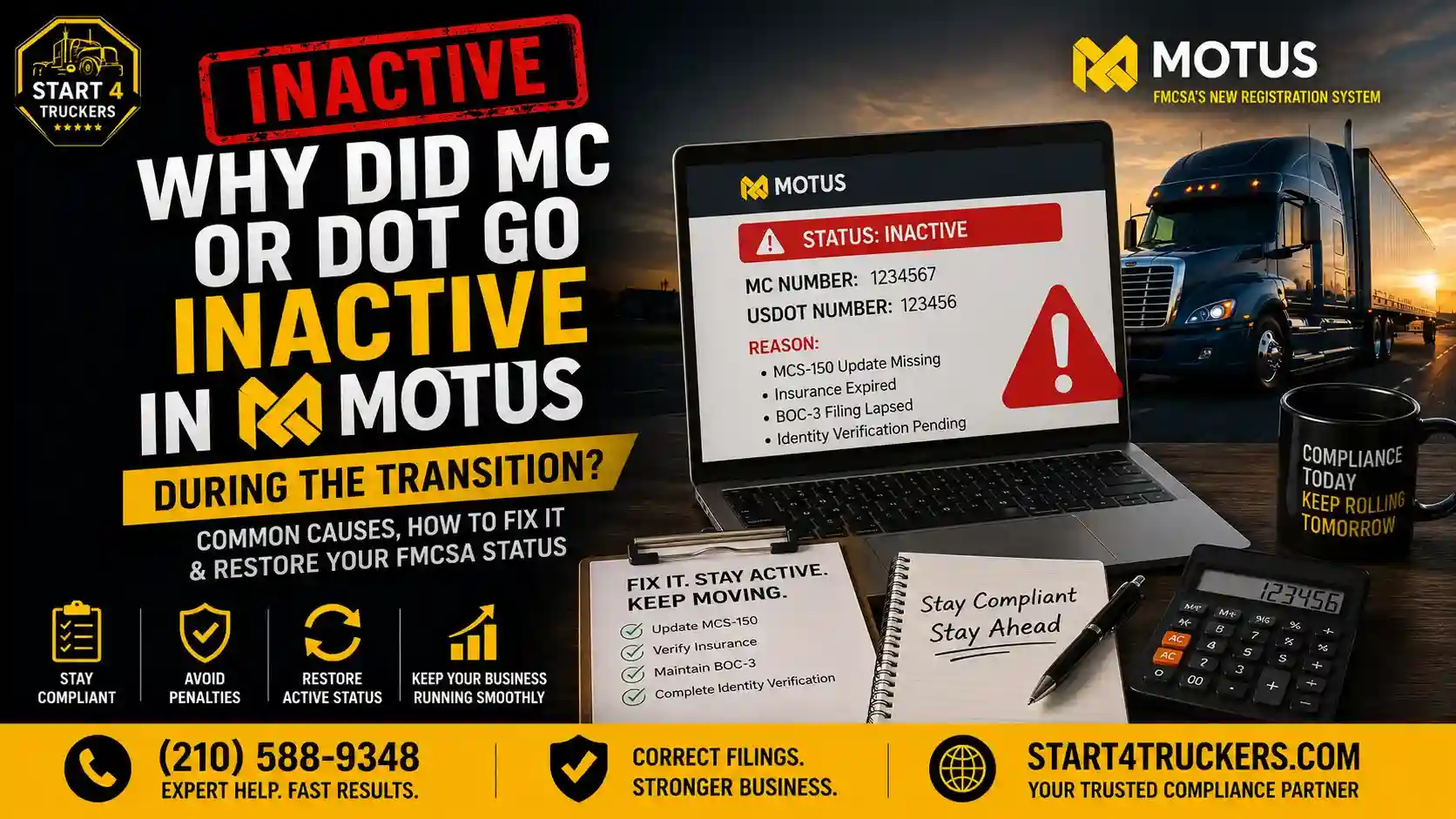
Did your MC Number or USDOT Number suddenly show as “Inactive” after your account moved over to MOTUS? You’re not alone. Many motor carriers have noticed unexpected status changes during the FMCSA MOTUS transition, and it’s understandably alarming when a number that was active yesterday suddenly isn’t. In this guide, you’ll learn the most common reasons this happens, how to verify your actual status, how to reactivate your authority, and how to avoid running into this again. Start4Truckers LLC helps carriers sort through exactly this kind of MOTUS confusion every day.
An MC or DOT Number can go inactive in MOTUS for several reasons, including a missing MCS-150 biennial update, an expired or cancelled insurance filing, a lapsed BOC-3 filing, unresolved identity verification, or simply because the migration didn’t transfer your records correctly. Not every inactive status is actually caused by MOTUS itself. Always verify your status directly in MOTUS and the SAFER system before assuming the worst or taking corrective action.
What Does It Mean When Your MC or DOT Goes Inactive in MOTUS?
An inactive status in MOTUS means FMCSA’s system currently shows your MC Number or USDOT Number as not in good standing, usually because of a missing filing, an unresolved compliance issue, or a migration-related record error. It doesn’t automatically mean your authority has been revoked.
Difference Between Active, Inactive, Pending, and Revoked Status
These four statuses mean very different things, and mixing them up leads to a lot of unnecessary panic:
- Active – Your registration is current and in good standing.
- Inactive – Something is missing or unresolved, but the situation is generally fixable.
- Pending – FMCSA is still reviewing a recent submission or update.
- Revoked – Your authority has been formally terminated, usually requiring a new application rather than a simple fix.
Can You Still Operate with an Inactive MC or USDOT Number?
Operating with an inactive status carries real compliance risk. Even if your inactivity is due to a simple, fixable issue, continuing to operate before it’s resolved can expose your business to enforcement action.
How MOTUS Displays Carrier Registration Status
MOTUS shows your current registration status directly on your carrier dashboard, alongside notices about any outstanding requirements tied to that status. If you’re still getting familiar with the platform, our guide on MOTUS vs SAFER System explains how these two systems relate to each other.
Why Did MC or DOT Go Inactive in MOTUS During the Transition?
Inactivity during the MOTUS transition can stem from a genuinely missing FMCSA requirement, like an expired MCS-150 or insurance filing, or from a migration issue where carrier records didn’t transfer correctly. Not every inactive status is MOTUS’s fault, so it’s worth confirming which situation applies to you before assuming a system error.
Missing MCS-150 Biennial Update
If your MCS-150 biennial update wasn’t filed on time, your registration can be flagged as inactive until it’s completed.
Insurance Filing Was Cancelled or Expired
FMCSA requires an active insurance filing on record. If your provider cancelled or let a filing lapse, your authority can show as inactive almost immediately.
Missing or Expired BOC-3 Filing
Your BOC-3 filing designates your process agents. If this filing lapses or was never completed, it can hold your authority in an inactive state.
Identity Verification Problems in Login.gov or MOTUS
Identity verification issues are one of the most common transition-related causes of inactive status. Our guide on Login.gov and MOTUS account setup walks through this process, and our post on MOTUS identity verification failures covers troubleshooting steps directly.
Pending FMCSA Review After Migration
Some carriers show as inactive simply because their file is still sitting in a review queue following the migration, rather than because anything is actually wrong.
Carrier Information Didn’t Transfer Correctly
Migrations aren’t always perfect. Our guide on MOTUS registration errors covers the most common problems carriers have run into and how to fix them.
Administrative or Compliance Action by FMCSA
In some cases, inactivity reflects a genuine compliance action taken by FMCSA, separate from anything related to the MOTUS transition itself.
Voluntary Authority Deactivation
If a carrier previously requested a voluntary deactivation, either temporarily or permanently, that status may simply be carrying over into the new MOTUS system as expected.
Not sure which of these applies to you? Call Start4Truckers LLC at (210) 588-9348 and we’ll help you figure it out.
How to Check Why Your MC Number or DOT Number Is Inactive
Start by reviewing your MOTUS dashboard for specific notices, then cross-check your status in the SAFER system, and confirm whether your MCS-150, BOC-3, and insurance filings are all current.
Check Your MOTUS Dashboard
Your MOTUS account typically flags exactly what’s missing or unresolved, so this should be your first stop.
Verify Status in SAFER
Cross-referencing your status in the SAFER system can help confirm whether the issue is consistent across FMCSA’s records or isolated to MOTUS.
Review FMCSA Notices
Check your email and physical mail for any notices FMCSA may have sent regarding your registration status.
Confirm Insurance Filing
Contact your insurance provider directly to confirm your filing is active and correctly submitted to FMCSA.
Verify BOC-3 Status
Confirm with your process agent service that your BOC-3 filing is current and was successfully processed.
Check MCS-150 Filing Date
Review your last MCS-150 submission date to see if you’re due or overdue for your biennial update.
How to Reactivate an Inactive MC or DOT Number in MOTUS
Reactivation starts with identifying the exact cause, then completing whatever FMCSA requirement is missing, whether that’s an MCS-150 update, a BOC-3 filing, or resolved insurance coverage, followed by monitoring your application until it’s confirmed active again.
Step 1: Identify the Exact Reason
Before taking any action, confirm exactly why your status shows inactive using the checks described above.
Step 2: Complete Missing FMCSA Requirements
Once you know the cause, address it directly rather than guessing at a fix.
Step 3: Update MCS-150 if Required
If your biennial update is overdue, complete it as soon as possible through MOTUS.
Step 4: File or Update Your BOC-3
If your process agent designation lapsed, get a new or updated BOC-3 filing submitted.
Step 5: Reinstate Insurance Filing
Work with your insurance provider to make sure an active filing is properly submitted to FMCSA.
Step 6: Resolve Login.gov or Identity Verification Issues
If identity verification is the holdup, our guide on MOTUS identity verification failed walks through common fixes.
Step 7: Submit Required Documents Through MOTUS
Upload or submit any requested documentation directly through your MOTUS carrier account.
Step 8: Monitor Application Status
Check back regularly rather than assuming the fix was automatically applied. Our guide on operating authority status in MOTUS can help you track this.
Ready to get your authority reactivated without the back-and-forth? Call Start4Truckers LLC at (210) 588-9348 today.
Documents You May Need to Restore Your Operating Authority
Depending on the cause of your inactive status, you may need an updated MCS-150, a current BOC-3 filing, active insurance documentation, identity verification records, business registration documents, or a response to a specific FMCSA notice.
- MCS-150 – Confirms your current business and fleet information
- BOC-3 – Confirms your designated process agents
- Insurance Filing – Confirms active, FMCSA-compliant coverage
- Identity Verification – Confirms you’re authorized to manage the account
- Business Registration Documents – Confirms your legal business details match FMCSA records
- FMCSA Notices – Any specific correspondence outlining what’s required in your case
How Long Does It Take FMCSA to Reactivate an MC or DOT Number?
Processing time depends heavily on why your authority became inactive. Simple filing corrections, like an updated BOC-3 or resolved insurance filing, are often quicker to clear than cases requiring manual FMCSA review or additional compliance verification.
Transition-related workloads within MOTUS can also affect timelines, since a large volume of carrier files may be moving through review at once. Patience combined with prompt follow-up tends to produce the best results.
Common MOTUS Registration Issues That Cause Inactive Status
Beyond standard compliance gaps, some inactive statuses trace back to technical migration issues, such as failed identity verification, duplicate carrier profiles, incorrect USDOT number linking, or a BOC-3 filing that wasn’t properly processed during the transition.
Failed Identity Verification
This remains one of the most frequently reported transition issues among carriers moving to MOTUS.
Duplicate Carrier Profile
In some cases, migration created duplicate profiles for the same carrier, which can confuse how status displays.
Incorrect USDOT Number Linking
If your USDOT Number got linked incorrectly during migration, your account may show inaccurate status information.
Incorrect Business Information
Mismatched business names or addresses between old records and the new MOTUS system can trigger review flags.
Insurance Filing Errors
Even active insurance can appear as a problem if the filing itself didn’t transfer or link correctly during migration.
BOC-3 Not Processed
A BOC-3 that was submitted but never fully processed during the transition can leave your account in limbo.
Delayed FMCSA Review
Sometimes, the honest answer is simply that your file is still waiting in a review queue.
Can You Drive with an Inactive MC or DOT Number?
Operating with an inactive MC or DOT Number carries compliance risk and can lead to enforcement action, regardless of whether the inactivity was caused by a simple paperwork gap or a MOTUS migration issue.
It’s worth understanding that an inactive USDOT registration and inactive operating authority aren’t always the same thing, but both represent a compliance gap that should be resolved before continuing normal operations. If you’re unsure which applies to your situation, our guide on how to reactivate a deactivated USDOT number in MOTUS can help clarify next steps.
How to Prevent Your MC or DOT from Becoming Inactive Again
Preventing future inactivity comes down to staying current on your MCS-150, insurance, and BOC-3 filings, monitoring MOTUS notifications closely, and responding quickly to any FMCSA requests.
File MCS-150 On Time
Mark your biennial update deadline clearly so it never sneaks up on you.
Keep Insurance Active
Confirm with your provider that filings are submitted and current well before any renewal deadline.
Maintain Your BOC-3
Keep your process agent designation active and confirm it renews each cycle properly.
Monitor MOTUS Notifications
Check your MOTUS account regularly rather than waiting for a problem to surface unexpectedly.
Keep Login.gov Credentials Updated
Outdated or mismatched login credentials can create unnecessary verification headaches down the road.
Respond Quickly to FMCSA Requests
Address any FMCSA notice as soon as it arrives rather than letting it sit unresolved.
Review Carrier Information Regularly
Periodically confirm that your business name, address, and other details match across FMCSA’s systems.
When Should You Contact FMCSA?
Reach out to FMCSA directly if your status isn’t updating after you’ve completed all required filings, if you believe your inactive status is incorrect, if your review has been pending for an unusually long time, if migration records appear to be missing, or if you’re facing unresolved identity verification issues.
Situations that typically call for direct contact include:
- Status not updating despite completed filings
- Belief that inactivity was applied incorrectly
- Pending review for an extended period with no update
- Missing migration records from your previous FMCSA account
- System errors that don’t match your actual filing history
- Ongoing identity verification problems
How Start4Truckers LLC Can Help
Sorting out an inactive MC or DOT Number during a system-wide transition can feel overwhelming, especially when you’re not sure whether the issue is a real compliance gap or a migration hiccup. Start4Truckers LLC helps carriers with:
- FMCSA registration support
- MOTUS assistance and troubleshooting
- MC authority reactivation
- USDOT registration
- MCS-150 filing
- BOC-3 filing
- Carrier profile updates
- Ongoing compliance support
If you’re unsure why your status changed, our team can help you pinpoint the cause and get your authority back on track. Explore our MC/DOT authority reactivation services or check our plans and pricing for ongoing compliance support.
Call Start4Truckers LLC today at (210) 588-9348 or visit our contact page to get your MC or DOT status resolved.
Conclusion
An MC or DOT Number going inactive in MOTUS can stem from a genuine compliance gap, like a missed MCS-150 update or lapsed BOC-3, or from a migration issue that didn’t transfer your records correctly. The key is identifying which situation applies to you before assuming the worst, then working through the specific steps needed to restore your authority.
Staying proactive about your filings and monitoring your MOTUS account regularly is the best way to avoid running into this again. Start4Truckers LLC can assist with MOTUS-related compliance and registration needs, whether you’re dealing with a transition hiccup or a straightforward filing gap. Call us at (210) 588-9348 or reach out through our contact page to get help today.
Frequently Asked Questions
1. Why did my MC or DOT go inactive in MOTUS?
It could be due to a missing MCS-150 update, an expired BOC-3 or insurance filing, unresolved identity verification, or a migration issue where your records didn’t transfer correctly during the MOTUS transition.
2. Why is my MC number inactive after the MOTUS transition?
Transition-related causes include failed identity verification, duplicate carrier profiles, or a BOC-3 filing that wasn’t fully processed during migration, in addition to standard compliance gaps.
3. Why did my USDOT number become inactive?
Common reasons include an overdue MCS-150 biennial update, lapsed insurance filing, or an administrative action tied to your carrier record.
4. Can I drive with an inactive DOT number?
Operating with an inactive status carries compliance risk and can lead to enforcement action, so it’s best to resolve the issue before continuing normal operations.
5. How do I reactivate my MC number in MOTUS?
Identify the exact cause of inactivity, complete any missing FMCSA requirement, such as an MCS-150 update or BOC-3 filing, submit any required documentation, and monitor your application until it shows as active again.
6. What documents are required to restore an inactive MC or DOT number?
Depending on the cause, you may need an updated MCS-150, current BOC-3 filing, active insurance documentation, identity verification, or business registration documents.
7. Does missing an MCS-150 update make my authority inactive?
Yes. An overdue biennial update is one of the most common reasons an MC or DOT Number shows as inactive.
8. Can an expired BOC-3 make my MC authority inactive?
Yes. Since your BOC-3 designates your required process agents, a lapsed filing can hold your authority in an inactive state until it’s corrected.
9. Does insurance cancellation cause an inactive operating authority?
Yes. FMCSA requires an active insurance filing on record, and a cancellation or lapse can trigger inactive status almost immediately.
10. How long does FMCSA take to reactivate an inactive MC or DOT number?
Processing time varies based on the cause. Simple filing corrections are often resolved faster than cases requiring manual review or additional compliance verification.
11. How can I check whether my operating authority is active?
Check your MOTUS dashboard directly, and cross-reference your status in the SAFER system for confirmation.
12. Is an inactive MC number the same as a revoked authority?
No. Inactive generally means something is missing or unresolved but fixable, while revoked means your authority has been formally terminated and typically requires a new application.
13. What should I do if MOTUS shows my status as inactive by mistake?
Contact FMCSA directly if you’ve confirmed all your filings are current and your status still shows as inactive without explanation.
14. Will my MC or DOT become active automatically after fixing the issue?
Not always immediately. After resolving the underlying issue, you should monitor your MOTUS account to confirm your status updates to active rather than assuming it happens instantly.
15. Can Start4Truckers LLC help reactivate my MC or DOT number?
Yes. Start4Truckers LLC helps carriers identify the cause of an inactive status and handles the necessary filings and follow-up needed to restore active operating authority.