To get a DOT number online, sign in to Login.gov, verify your identity, create a company account in FMCSA’s Motus system, and complete the USDOT application with your business and operation details. Submit it and track the status in Motus. FMCSA does not charge a fee for the USDOT number itself. Operating authority (an MC number), insurance filings and a process agent are separate steps with their own requirements.
If you are starting a trucking company in 2026, this guide will walk you through each step in Motus. Also what the new USDOT numbers look like, and how to fix the most common application problems.
New applicant vs. existing registrant: which path are you on?
| New applicant | Existing registrant | |
| Situation | Your company has never had a USDOT number | Your company already has a USDOT number |
| What you do | Start a new USDOT application in Motus | Sign in and link or claim your existing number in Motus |
| Number you get | A newly issued, randomized USDOT number, which may carry a suffix | Your number stays the same |
| FMCSA USDOT Registration Fee | None from FMCSA | None from FMCSA |
How Do You Get a DOT Number Online?
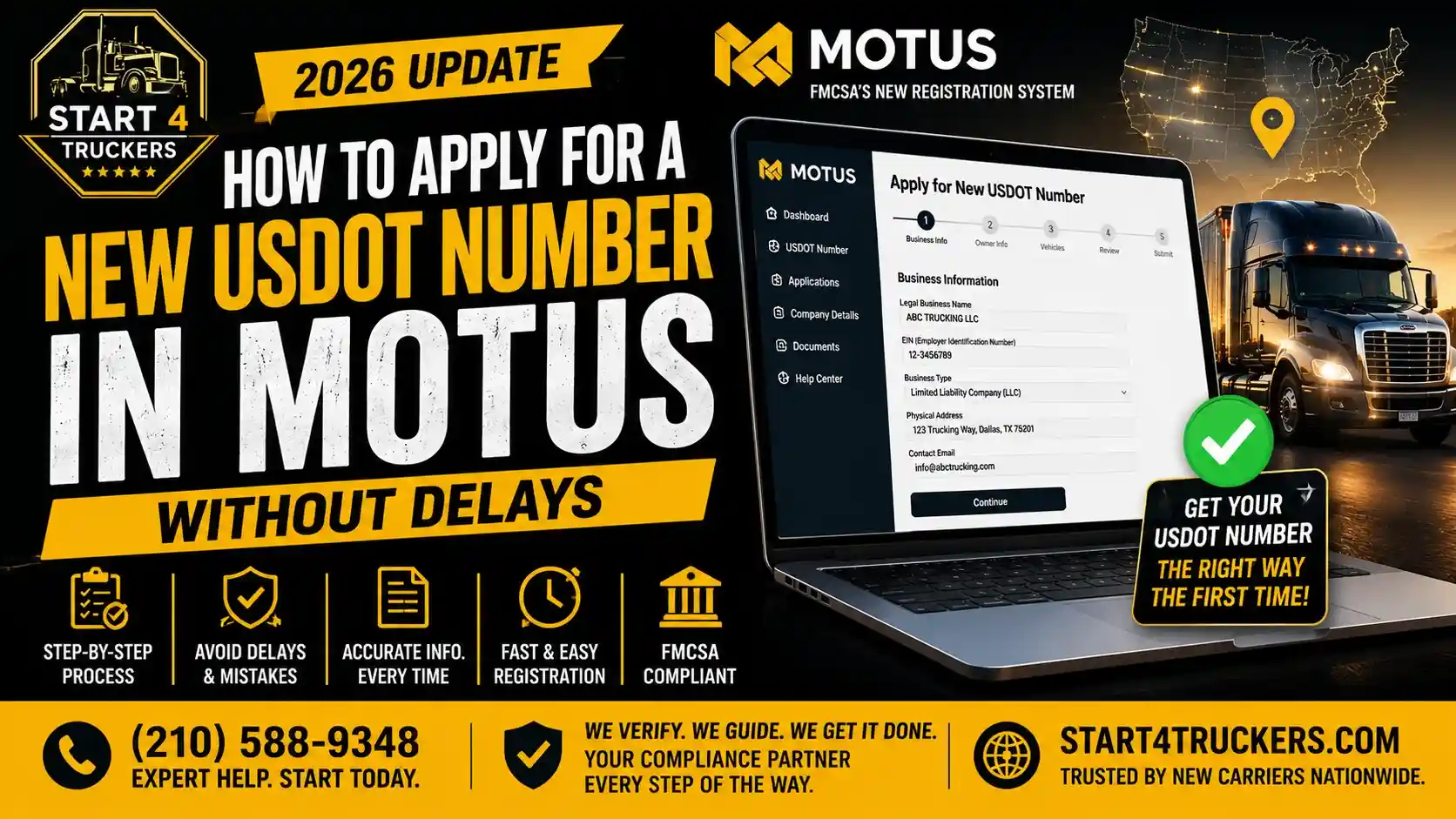
You can apply for a new USDOT number through Motus, FMCSA’s online registration system. Here is a quick overview of the process:
- Create or sign in to your Login.gov account.
- Complete identity verification and set up your Motus user profile.
- Open the Motus workflow selection dashboard and select Start a New Registration.
- Determine which registrations your business needs.
- Enter your business and operating information.
- Review your application and submit it.
- Check your application status in Motus.
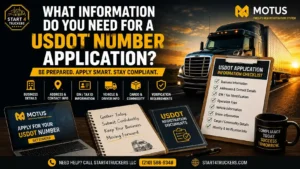
Before starting, gather your business information, including your legal business name, physical address, mailing address (if different), tax identification details, and operating information. Having accurate information ready can help you complete the application more efficiently and avoid unnecessary delays.
If you already have a Motus company account and need to register a different company:
- Open your existing company dashboard.
- Click the gear icon in the upper-right corner.
- In the side panel, select Create New Company Account.
- Follow the on-screen instructions to select the appropriate registration workflow.
The system will guide you through the required registration questions and company information, including your legal business name, physical business address, mailing address (if different), and operating details.
Important: If your company already has a USDOT number, do not submit a new USDOT application for the same company. Instead, use the appropriate process to access or update your existing registration.
Who Needs a USDOT Number?
If your company is using a commercial vehicles to travel between states then you need a USDOT number and also if they meet any of these conditions:
- The vehicle’s GVWR or the combined weight rating of the vehicle and trailer is about 10,001 pounds or more.
- The vehicle transports hazardous materials in quantities that require placards.
- The vehicle is specifically designed and used to transport 9 to15 passengers including the driver for direct or indirect compensation, or 16 or more passengers including the driver, whether or not for compensation.
Both for-hire motor carriers and private carriers can be covered. A for-hire carrier moves other people’s freight for pay. A private carrier moves its own goods as part of its business.
Intrastate carriers
If you only operate inside one state then the federal rules may not apply, but many states still require a USDOT number or have their own program. Check your state’s requirements first. You can learn more about USDOT requirements for carriers operating within one state.
Do you need a CDL?
No. A DOT number is a company registration, not a driver license. Whether your drivers need a CDL depends on the vehicle’s weight and what it hauls.
Do you need a DOT number for a box truck?
It depends on the weight of the truck and also where you are driving. If your box truck weighs 10,001 pounds or more and crosses state lines generally needs a USDOT number. Smaller trucks, or ones that stay within a state, may not.
What Do You Need Before Applying?
Gather this before you open Motus:
- Legal business name exactly as it appears on your formation documents or tax records
- Business structure: sole proprietor, LLC, corporation or partnership
- Employer Identification Number (EIN) or other tax identification, as the form requests
- Physical business address and a mailing address if different
- Contact details for the company and the person completing the application
- Operation classification: for-hire, private, interstate or intrastate
- Cargo type you plan to haul
- Vehicle count and driver count
- GVWR of the vehicles you will operate
You do not need an LLC to apply. A sole proprietor can register, though many carriers form an LLC for liability reasons. You can see our checklist for the documents and information needed to apply for a USDOT number.
How to Apply for a New USDOT Number in Motus
Step 1: Create or Sign In to Login.gov
Motus uses Login.gov for secure sign-in. If you already have a Login.gov account, sign in. If not, create one using an email address you will keep long term. Set a password and add a second way to verify your identity. Use your own or your company’s email address, not someone else is handling your paperwork. This account is the key to your registration.
Step 2: Complete Identity Verification
After signing in, accept the FMCSA Rules of Behavior and follow the identity-verification instructions using your government-issued ID. Once verified, complete your Motus user profile with your contact information. After you submit your profile, Motus displays the workflow selection dashboard.
Step 3: Start a New Company Registration in Motus
Once your identity verification and user profile are complete, Motus opens the workflow selection dashboard. If you are applying for a USDOT number for a company that has never been registered, find the New Registration section and click Register (the Start a New Registration option). Follow the on-screen prompts to begin the new registration.
If you are already inside an existing Motus company account and need to register a different company, open the gear icon in the upper-right corner of the company dashboard. In the side panel, select Create New Company Account to return to the registration workflow. Do not use this option to obtain a second USDOT number for the same company; existing registrants should manage or claim their current USDOT record instead.
Step 4: Determine Which Registrations You Need
Follow the registration questions to identify the type of registration your operation needs. Select the answers that match the business you actually plan to operate. Depending on your activity, you may need:
- USDOT number only, for example for a private carrier or an intrastate operation.
- USDOT number plus operating authority, for example for a for-hire carrier moving regulated freight across state lines.
If you are not sure if you need operating authority? Lets Learn when MC operating authority is required before applying
Step 5: Enter Business and Operating Information
Continue through the application and enter your company’s legal name, business structure, tax information, physical business address, mailing address (if different), and contact details. Then provide your operation classification, cargo information, vehicle and driver counts, and other details requested on screen. Review each field carefully:
- Match your name, tax ID and address to your records.
- You have to use the realistic vehicle and driver counts. You can update these later through your regular MCS-150 update.
- Make sure to choose the operation classification that will match how you plan to use your vehicles.
Step 6: Review and Submit
You have to read all the details very carefully before you submit the documents. Mistakes and errors in the legal name or address can cause more problems than anything else. When you submit all the things make sure that Motus records your application and also confirms that. Keep any confirmation details for your records.
Step 7: Check Your Application Status
After submission check your status in Motus. The status names are the same as before, but Motus now adds a specific reason so you can see what is holding things up. Here are some examples:
- Pending – FMCSA Review: FMCSA is reviewing your application. Nothing is needed from you unless FMCSA contacts you.
- Pending – Process Agent (Form BOC-3) Filings: a process agent filing is still outstanding.
- Pending – Financial Responsibility Filings: your insurance filing has not yet been received.
These reasons mostly matter when you applied for operating authority. They tell you which task to complete next. To confirm a number once it exists, you can look up a USDOT number in the public lookup tool.
What Your New USDOT Number Looks Like
Two changes affect carriers who register for the first time in Motus.
Randomized numbers. Newly issued USDOT numbers and docket numbers are randomized to help prevent fraud. Do not expect your number to follow the sequence of earlier numbers. Existing numbers do not change.
Suffix codes. New USDOT numbers for companies registering for the first time in Motus include a suffix of letters that shows the type of registration. Existing numbers do not get a suffix.
How Much Does It Cost to Get a USDOT Number?
The USDOT number is free from FMCSA. If a website asks you to pay for the number itself, you are paying for a service, not a government fee.
The other costs belong to other steps:
- Operating authority (MC number): FMCSA charges a filing fee per authority. Check the current amount on FMCSA’s site before you budget.
- Process agent (BOC-3): for-hire carriers must file one, and process agents charge their own fees.
- Insurance: financial responsibility filings come from your insurance company, and the premium is likely your largest cost.
- Optional help: some carriers pay a filing service to handle the paperwork. That is a convenience, not a requirement.
How Long Does It Take to Get a DOT Number?
FMCSA does not give a set time for the approval so you have to be very careful of anyone who promises one. The wait depends on if your application is complete or not, your details match, and FMCSA needs more time to review it.
If you also request operating authority, it will stay pending until the required filings are in. The Motus status reason tells you which one is missing. Filing your BOC-3 and insurance promptly is the most effective way to shorten the process.
New USDOT Application vs. Claiming an Existing Number
A lot of people searching for how to apply for a new DOT number already have one. Existing USDOT numbers do not change. If your company already has a number, you should not apply for another. Sign in to Motus and link or claim your existing registration instead. Duplicate registrations create compliance and records problems.
- Apply for a new number if your company has never been registered.
- Claim your existing number if you registered before Motus or if you need to manage the existing registration.
Use the public lookup tool to confirm your number and its status before you decide.
Common Motus Application Problems and Fixes
“My application is no longer active.” An application that was started but not completed or submitted may stop being active in Motus. Check whether you submitted it, then start again or resume as the Motus message directs. If you are unsure, use “Contact FMCSA” inside Motus.
Identity verification failed. Make sure to check the details that you have provided like the name, date of birth and ID information and all these have to match your ID. Most of the failures come from small typos or an outdated address. If it still fails, contact Login.gov support about the identity step, since they run that part of the process.
Business address rejected. Make sure to enter your address in the format the U.S. Postal Service uses, with the correct suite number and ZIP code. A residential address, a P.O. box or a virtual mailbox can not be accepted as your physical business address. Because mailing addresses can be different.
Mismatched business information. If your legal name or tax ID does not match your formation or IRS records, correct the data on your side. Don’t force it through.
Stuck in pending. Read the full status reason. “Pending – Process Agent (Form BOC-3) Filings” and “Pending – Financial Responsibility Filings” means that you must get those filings completed. Waiting will not help.
Need to talk to someone? Use “Contact FMCSA” in Motus for chat, email or phone support, available 8:00 AM to 8:00 PM Eastern.
What Happens After You Receive Your USDOT Number?
Getting the number is only the first step for most for-hire carriers.
- Decide on operating authority. If you haul regulated freight for hire across state lines, you need an MC number.
- File a BOC-3. A process agent must be on file for your authority.
- Arrange financial responsibility. Your insurer files the required coverage with FMCSA.
- Keep your records up to date. Update your MCS-150 on the required schedule and also when your company information changes.
- Prepare for the new entrant program. New carriers may be checked or audited during their first few months, so keep your driver, driving-hour, and vehicle maintenance records up to date.
If you need help with the paperwork, then our USDOT registration assistance is available.
Frequently Asked Questions
How do I apply for a new USDOT number in Motus?
Sign in through Login.gov, complete identity verification and your Motus user profile, then select Start a New Registration on the workflow selection dashboard. Enter the required company and operating information, review the application, and submit it. If you already manage a different company in Motus, the upper-right gear menu may provide a Create New Company Account option.
Is it free to apply for a USDOT number?
Yes. FMCSA does not charge for the USDOT number. Operating authority, a process agent and insurance have separate costs.
How long does it take to get a DOT number in 2026?
There is no guaranteed timeline. Accurate information and prompt filings give you the best chance of a fast result.
What information do I need for a USDOT application?
Legal business name, structure, tax ID, physical and mailing addresses, contact details, operation classification, cargo type, and vehicle and driver counts.
Can I apply for a DOT number without an LLC?
Yes. A sole proprietor can apply, though many carriers choose an LLC for liability protection.
Do I need both a USDOT number and an MC number?
Not always. Many for-hire carriers hauling regulated freight across state lines need both. Private carriers and some intrastate operations may need only a USDOT number.
Can I submit USDOT and MC authority applications together?
Yes. Motus lets you request them in one application. Each newly granted authority still gets its own docket number.
How do I claim my existing USDOT number in Motus?
Sign in to Motus and link your existing registration to your company account. Your number does not change.
Can I apply for a new DOT number if I already have one?
You generally should not. Use your existing number and update it as needed.
Why does Motus say my application is no longer active?
It may have been started but never submitted or completed. Check your status, restart if needed, or use “Contact FMCSA” for help.
What if my identity verification fails?
Recheck that your details match your ID exactly. If it still fails, contact Login.gov support.
How can I check the status of my USDOT application?
Sign in to Motus and read the status and its reason. Once a number is issued, you can also look up a USDOT number publicly.